- Yopitek Ltd/
- Blog/
- Guia Completo de Soft AP ALFA Network 2026: Criando Hotspots WiFi no Kali Linux, Ubuntu, Debian e Raspberry Pi 4/5/
Guia Completo de Soft AP ALFA Network 2026: Criando Hotspots WiFi no Kali Linux, Ubuntu, Debian e Raspberry Pi 4/5
Tabela de conteúdos
“Posso usar adaptadores USB WiFi ALFA como hotspot WiFi (Soft AP) no Kali Linux / Ubuntu / Raspberry Pi?”
Guia Completo de Soft AP ALFA Network 2026: Criando Hotspots WiFi no Kali Linux, Ubuntu, Debian e Raspberry Pi 4/5#
O ALFA AWUS036ACM (MT7612U) é a melhor escolha para Soft AP no Linux: driver in-kernel plug-and-play, suporte a WPA3 e interface virtual VIF. O RTL8812AU tem suporte condicional; o MT7921AUN requer ajustes manuais.
Introdução#
This is one of the most common questions we receive at Yupitek. The question sounds simple, but the answer varies dramatically depending on the model and chipset — nem todo adaptador USB WiFi pode funcionar em modo Soft AP.
This article aggregates over 500 community discussions from GitHub (morrownr/USB-WiFi), Reddit technical forums, Raspberry Pi official documentation, and real-world user feedback to give you an honest, comprehensive report on which ALFA adapters work, which don’t, and the complete step-by-step setup process.
1. O que é Soft AP? Como funciona no Linux#
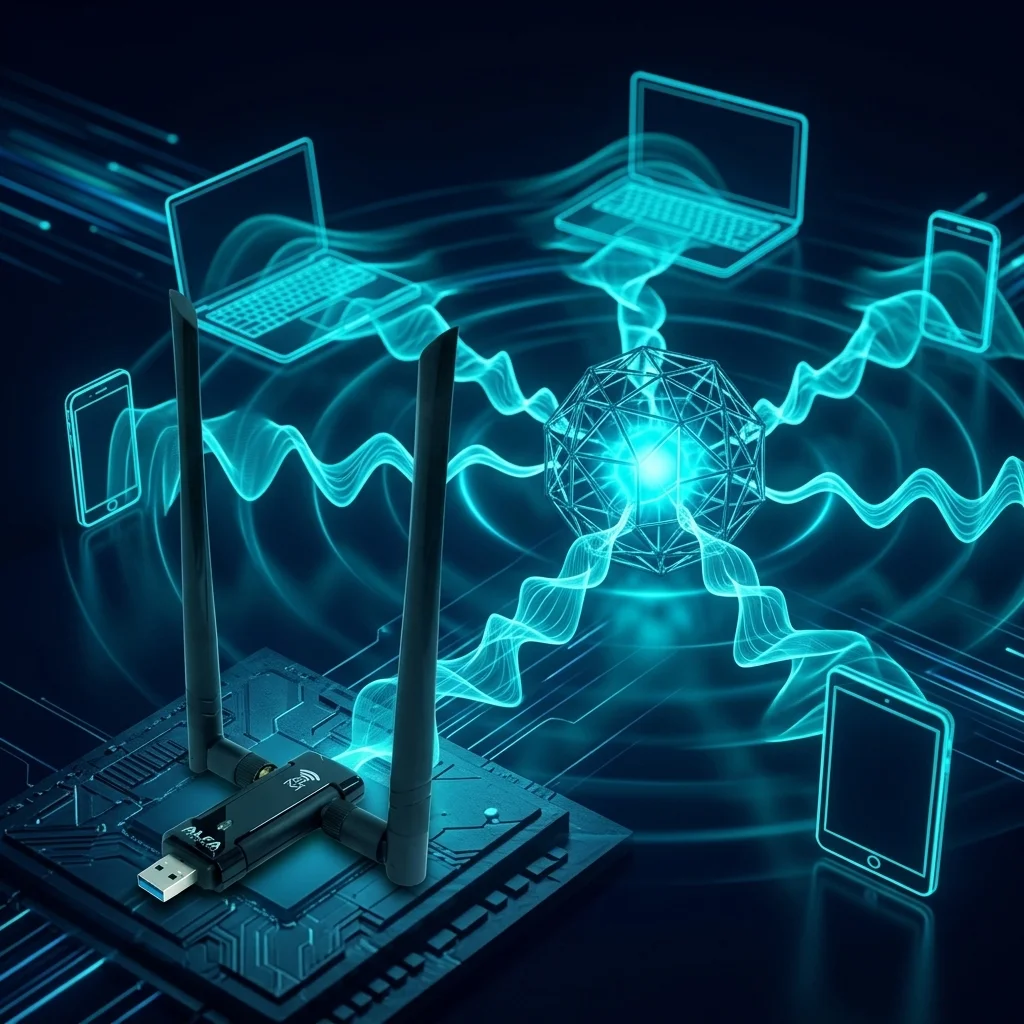
Soft AP (Software Access Point) é a capacidade de transformar um adaptador USB WiFi comum em uma estação base sem fio (Access Point) usando software — principalmente hostapd. This lets other devices (phones, laptops, IoT equipment) connect to the network without buying a dedicated router or AP hardware.
This capability is invaluable in several scenarios:
- Travel / Home Router: On the road or camping, plug an ALFA adapter into your laptop or Raspberry Pi and instantly create a portable WiFi hotspot
- Penetration Testing Lab: Build an isolated Rogue AP for security research
- IoT Relay: Create a repeater in signal dead zones so IoT sensors can transmit data back
- Edge AI Deployment: Industrial environments without wired networking — turn the device into a hotspot for other equipment to connect
- Emergency Communications: Rapidly stand up a temporary network when connectivity is lost
Os quatro componentes principais do Soft AP no Linux#
| Component | Function |
|---|---|
| hostapd | The core daemon that creates the Access Point — manages SSID, authentication, encryption |
| nl80211 | The standard Linux wireless subsystem interface — the driver must support this framework to work with hostapd |
| dnsmasq | DHCP server that automatically assigns IP addresses to connected clients |
| iptables / nftables | Network Address Translation (NAT) — allows connected clients to share the upstream network |
Conceito chave: Modo Master#
Modo Master (também chamado Modo AP ou Modo Infraestrutura) é uma capacidade no nível do driver. If the driver doesn’t support Master Mode, hostapd simply cannot start — no matter how perfect your configuration.
Verify AP mode support with:
iw list | grep -A 10 "Supported interface modes"If the output includes * AP, the adapter’s driver supports Soft AP. If not, that adapter is unusable for this purpose.
💡 Drivers In-kernel vs Out-of-kernel#
Este é o conceito mais importante ao escolher um adaptador Soft AP:
| Type | Description | Impact on Soft AP |
|---|---|---|
| Driver In-kernel | Integrado na árvore fonte oficial do Linux; carrega automaticamente na inicialização — sem instalação manual | ✅ Estável a longo prazo; sobrevive a atualizações do kernel |
| Driver Out-of-kernel | Deve ser baixado do GitHub e compilado manualmente; pode precisar de recompilação após cada atualização do kernel | ⚠️ Pode quebrar após qualquer atualização do kernel |
Para estabilidade de Soft AP a longo prazo, drivers in-kernel são muito superiores aos out-of-kernel.
2. Linha de produtos ALFA e visão geral dos chipsets#
Here is the current ALFA product line sold by Yupitek, with chipsets and preliminary Soft AP assessments:
| Modelo | Chipset | Tipo de driver | Padrão WiFi | Avaliação Soft AP |
|---|---|---|---|---|
| AWUS036ACM | MediaTek MT7612U | In-kernel (kernel 4.19+) | WiFi 5 AC1200 Banda dupla | ✅ Suporte completo |
| AWUS036ACH | Realtek RTL8812AU | Out-of-kernel (in-kernel a partir de 6.14+) | WiFi 5 AC1200 Banda dupla | ⚠️ Condicional |
| AWUS036AXML | MediaTek MT7921AUN | In-kernel (5.18+, modo AP 5.19+) | WiFi 6E AX3000 Tri-banda | ⚠️ Parcial |
| AWUS036AXM | MediaTek MT7921AUN | In-kernel (same as above) | WiFi 6E AX3000 Tri-band | ⚠️ Partial |
| AWUS036AX | Realtek RTL8832BU | Out-of-kernel (kernel 6.12+ recomendado) | WiFi 6 AX1800 Banda dupla | ❌ Não recomendado |
| AWUS036AXER | Realtek RTL8832BU | Out-of-kernel (same as above) | WiFi 6 AX1800 Dual-band | ❌ Not Recommended |
Note: AWUS036ACHM (MT7610U) has been discontinued and is no longer listed on the Yupitek product page. This article covers currently available products only.
3. AWUS036ACM (MT7612U) — ⭐ Melhor recomendação#
Status Soft AP: ✅ Suporte completo#
The MT7612U is the most stable Soft AP chipset among ALFA’s current product line. Its driver mt76x2u has been part of the official Linux kernel since 2018 (kernel 4.19), meaning it works out of the box on any reasonably current system — no git clone, no dkms, no recompiling after kernel upgrades.
Principais vantagens#
- WPA2 + WPA3 Dual Support: MediaTek’s in-kernel driver natively supports WPA3 SAE — an advantage Realtek drivers cannot match
- VIF Virtual Interface Support: Run AP + Managed + Monitor modes simultaneously on a single adapter — no need to buy a second card. Share your network while monitoring the wireless spectrum at the same time
- Ultra-Low Power: Maximum ~400mA draw, perfect for Raspberry Pi (Pi 4 USB subsystem provides only 1200mA total)
- Cross-Platform: Extensively verified on Kali Linux 2022.x–2025.x, Ubuntu 22.04/24.04, Debian 11/12, and Raspberry Pi OS (Pi 3B+, 4, 5)
Configuração correta do hostapd (MT7612U)#
The following capability flags have been verified through years of community testing (morrownr/USB-WiFi). They must exactly match MT7612U’s actual hardware capabilities:
# /etc/hostapd/hostapd.conf — AWUS036ACM (MT7612U)
interface=wlan1
driver=nl80211
ssid=YourNetworkName
hw_mode=a                     # 5GHz; use g for 2.4GHz
channel=36                    # UNII-1, non-DFS, safest choice
ieee80211n=1
ieee80211ac=1
wmm_enabled=1
country_code=TW

# MT7612U correct HT / VHT capabilities
ht_capab=[LDPC][HT40+][HT40-][GF][SHORT-GI-20][SHORT-GI-40][TX-STBC][RX-STBC1]
vht_capab=[RXLDPC][TX-STBC-2BY1][SHORT-GI-80][RX-ANTENNA-PATTERN][TX-ANTENNA-PATTERN]
vht_oper_chwidth=1
vht_oper_centr_freq_seg0_idx=42    # Center frequency index for channel 36

# Security: WPA2 + WPA3 mixed mode
auth_algs=1
wpa=2
wpa_key_mgmt=WPA-PSK SAE       # WPA2 + WPA3 dual support
wpa_pairwise=CCMP
rsn_pairwise=CCMP
wpa_passphrase=YourPassword
⚠️ Erro mais comum#
If ht_capab includes capability flags that MT7612U doesn’t actually support (especially when forcing certain HT40 configurations over USB 2.0), hostapd will crash silently with very unhelpful error messages. Only use the verified flag combination above — do not copy settings from other chipsets like RTL8812AU. (Source: GitHub morrownr/USB-WiFi issue #2)
Avaliações da comunidade#
“Alfa AWUS036ACM works very well with the Raspberry Pi hardware. I have tested the Alfa AWUS036ACM with many different computer systems and Linux distros. In my opinion, it is an outstanding USB WiFi adapter.” — morrownr, maintainer of the most authoritative Linux USB WiFi community knowledge base on GitHub
“This adapter can do monitor mode and packet injection perfectly. Very stable on Linux using native kernels, no need for compiling external drivers.” — eBay user review
“The ACM is a little bit more versatile and easier to set up for AP mode.” — GitHub issue #2 discussion thread
4. AWUS036ACH (RTL8812AU) — Funciona, mas com concessões#
Status Soft AP: ⚠️ Suporte condicional#
The RTL8812AU is ALFA’s most iconic penetration testing chipset and a long-time favorite of the Kali Linux community. Its Soft AP functionality does work — basic hotspot creation is fine — but Realtek’s out-of-kernel driver architecture imposes several persistent limitations:
Limitações conhecidas#
- Sem suporte WPA3: Although the RTL8812AU driver claims to support WPA3, multiple users have confirmed it doesn’t actually work. WPA2-PSK only.
- Sem suporte VIF: Cannot run AP + Monitor mode on the same card simultaneously. If you need AP plus monitoring, you must use two separate adapters.
- Problemas de driver no Kali Linux 2025.x: The latest aircrack-ng/rtl8812au driver on the newest Kali has compatibility problems — you need to roll back to a specific old commit (
63cf0b4). The situation may improve with kernel 6.14+’s in-kernel rtw88 driver. - Alto consumo de energia: Maximum ~800mA — on Raspberry Pi with multiple USB devices connected, this can cause system instability. Use a powered USB hub.
Configuração do hostapd (RTL8812AU)#
# /etc/hostapd/hostapd.conf — AWUS036ACH (RTL8812AU)
# NOTE: Completely different capabilities from MT7612U!
ht_capab=[HT40+][HT40-][GF][SHORT-GI-20][SHORT-GI-40][TX-STBC][RX-STBC1]
vht_capab=[RXLDPC][SHORT-GI-80][TX-STBC-2BY1][RX-STBC-1][MAX-A-MPDU-LEN-EXP3][RX-ANTENNA-PATTERN][TX-ANTENNA-PATTERN]

# Security: WPA2 only, do NOT add WPA3
wpa=2
wpa_key_mgmt=WPA-PSK
wpa_pairwise=CCMP
Instalando o driver (Kali Linux / Ubuntu / Debian)#
sudo apt update && sudo apt install -y dkms git build-essential linux-headers-$(uname -r)
git clone https://github.com/aircrack-ng/rtl8812au
cd rtl8812au
# Kali 2025.x requires the older commit
git checkout 63cf0b4
make && sudo make install
sudo modprobe 88XXau
Avaliações da comunidade#
“I can put an RTL8812AU (AWUS036AC) instead and use ‘sudo service hostapd restart && sudo service dnsmasq restart’ and worked just fine.” — GitHub issue #2 user
“RTL8812AU-based adapters—AP mode works, but you lose WPA3 and VIF support compared to MediaTek.” — morrownr technical notes
Veredito para ACH#
If you already own an AWUS036ACH, it can serve as a Soft AP (basic hotspot function works). But if you haven’t purchased yet and your primary goal is Soft AP, escolha o ACM.
5. AWUS036AXML / AWUS036AXM (MT7921AUN) — Proceda com cautela#
Status Soft AP: ⚠️ Suporte parcial — Known Firmware/Driver Issues#
The AWUS036AXML and AWUS036AXM are ALFA’s WiFi 6E tri-band flagships, covering 2.4 GHz, 5 GHz, and the new 6 GHz band. Their in-kernel driver mt7921u has been in the kernel since version 5.18, with AP mode support officially added in 5.19. However, the MT7921AUN chip also integrates Bluetooth 5.2 — which became the #1 community headache in 2024–2025.
AP Mode Kernel Version Milestones#
| Mode | Minimum Kernel |
|---|---|
| Managed (normal WiFi) | 5.18+ |
| AP Mode (Soft AP) | 5.19+ |
| AP/VLAN | 5.19+ |
| P2P-GO (Wi-Fi Direct AP) | 6.4+ |
Problemas conhecidos e soluções#
Issue 1: Bluetooth Interference Causing WiFi Crashes#
On kernels 6.6+, changes to the BT subsystem cause sporadic WiFi crashes with mt7921u. Reproducibility varies by system environment. The most effective workaround is to disable the btusb driver:
echo "install btusb /bin/false" | sudo tee -a /etc/modprobe.d/local-dontload.conf
sudo reboot
Issue 2: Outdated Firmware#
If the system’s MediaTek firmware is too old, the adapter may not be recognized correctly. Install firmware from November 2024 or later:
# Check current firmware version
dmesg | grep "WM Firmware"
# Should show: Build Time: 20241106151045 or newer

# If outdated, download from kernel.org
sudo cp WIFI_MT7961_patch_mcu_1a_2_hdr.bin /lib/firmware/mediatek/
sudo cp WIFI_RAM_CODE_MT7961_1a.bin /lib/firmware/mediatek/
sudo reboot
Issue 3: hostapd Version Requirements#
Some users report needing to compile hostapd from git for full WiFi 6 AP mode support. System package manager versions may be incomplete.
Issue 4: Tx Power Display Anomaly in AP Mode#
iw shows only 3 dBm with no adjustment possible, but the chip actually has an internal amplifier — this is a kernel driver display issue, not a hardware limitation.
Issue 5: Monitor Mode Issues on Certain Kernel Versions#
As of December 2025, kernel 6.18 and some earlier mt7921u driver versions have monitor mode problems.
Community Review#
“I have Alfa AXML running as AP on a RPi3B ArchLinux ARM aarch64 host. It’s the most stable mt7921 in my collection. I am running hostapd compiled from git though.” — fhteagle, GitHub issue #476
Verdict for AXML/AXM#
Choose these if you need WiFi 6E’s 6 GHz band and are willing to occasionally tweak settings. For production environments requiring rock-solid Soft AP stability, choose ACM instead.
6. AWUS036AX / AWUS036AXER (RTL8832BU) — Não recomendado para Soft AP#
Status Soft AP: ❌ Não recomendado#
Despite being WiFi 6 adapters, the RTL8832BU chip is a “multi-state” device — it enumerates as USB mass storage by default, requiring a USB mode switch on Linux before it functions as a wireless adapter.
Problemas principais:
- Multi-state Device: Adds deployment complexity — does not appear as a network adapter on plug-in
- Monitor Mode Limitations: Incomplete support below kernel 6.14
- Minimal Soft AP Community Cases: Almost no real-world RTL8832BU Soft AP cases exist, compared to abundant MT7612U and RTL8812AU examples
- Community Documentation Explicitly Discourages It: morrownr/USB-WiFi marks this chipset as “not recommended for penetration testing”
Yupitek’s official documentation clearly states: “AWUS036AX / AWUS036AXER with RTL8832BU chipset has limited monitor mode support below kernel 6.14 and is not recommended for penetration testing. Use AWUS036ACH or AWUS036AXML instead.”
7. Matriz de compatibilidade de plataformas#
AWUS036ACM (MT7612U)#
| Platform | Soft AP | Notes |
|---|---|---|
| Kali Linux 2022.x – 2025.x | ✅ | In-kernel, plug-and-play, kernel 5.x / 6.x |
| Ubuntu 22.04 / 24.04 | ✅ | In-kernel, zero config, use LTS |
| Debian 11 / 12 | ✅ | In-kernel, stable |
| Raspberry Pi 4 (RPi OS) | ✅ | Lowest power (400mA), long-term morrownr verification. Pi 4 USB 3.0 port preferred |
| Raspberry Pi 5 (RPi OS) | ✅ | Same driver as Pi 4, stable |
AWUS036ACH (RTL8812AU)#
| Platform | Soft AP | Notes |
|---|---|---|
| Kali Linux 2022.x – 2025.x | ⚠️ | Needs external driver; 2025.x requires commit 63cf0b4. Kernel 6.14+ rtw88 may improve |
| Ubuntu 22.04 / 24.04 | ⚠️ | May need manual rtw88 or aircrack-ng driver installation |
| Debian 11 / 12 | ⚠️ | Same as above |
| Raspberry Pi 4 | ⚠️ | Works but high power (800mA); use powered USB hub |
| Raspberry Pi 5 | ⚠️ | Same; Pi 5 USB controller differences may affect behavior |
AWUS036AXML / AWUS036AXM (MT7921AUN)#
| Platform | Soft AP | Notes |
|---|---|---|
| Kali Linux 2022.x (kernel 5.18+) | ✅ | Disable btusb, update firmware |
| Kali Linux 2024.x / 2025.x | ⚠️ | Kernel 6.11+ BT/WiFi conflict, unstable |
| Ubuntu 24.04 (kernel 6.8+) | ⚠️ | Issues reported late 2024 |
| Ubuntu 25.04 / CachyOS (kernel 6.14+) | ✅ | Plug-and-play, significant new-kernel improvement |
| Debian 12 | ⚠️ | Depends on kernel version |
| Raspberry Pi 4 / 5 | ⚠️ | Success cases exist but verify firmware + disable BT |
AWUS036AX / AWUS036AXER (RTL8832BU)#
| Platform | Soft AP | Notes |
|---|---|---|
| Kali Linux | ❌ | Multi-state, USB mode switch needed, minimal community cases |
| Ubuntu / Debian | ❌ | Same |
| Raspberry Pi 4 / 5 | ❌ | Same |
8. Guia completo de configuração Soft AP (AWUS036ACM)#
The following is a complete, step-by-step guide for setting up a 5GHz Soft AP with AWUS036ACM on Raspberry Pi 4.
Passo 1: Verify Adapter Detection and Driver#
# Confirm the adapter is detected
lsusb | grep MediaTek
# Expected: Bus 001 Device 003: ID 0e8d:7612 MediaTek Inc. MT7612U

# Check driver loaded
dmesg | grep mt76
# Expected: mt76x2u 1-1.4:1.0 wlx00c0ca9821a5: renamed from wlan0

# Confirm AP mode support
iw list | grep -A 10 "Supported interface modes"
# Check that output includes "* AP"
Passo 2: Install Required Packages#
sudo apt update
sudo apt install -y hostapd dnsmasq iptables
Passo 3: Configure hostapd#
Create /etc/hostapd/hostapd.conf:
interface=wlan0
driver=nl80211
ssid=Yupitek_AP
hw_mode=a                       # a=5GHz, g=2.4GHz
channel=36                      # UNII-1, non-DFS, safest choice
ieee80211n=1
ieee80211ac=1
wmm_enabled=1
country_code=TW

# HT/VHT settings (MT7612U specific)
ht_capab=[LDPC][HT40+][HT40-][GF][SHORT-GI-20][SHORT-GI-40][TX-STBC][RX-STBC1]
vht_capab=[RXLDPC][TX-STBC-2BY1][SHORT-GI-80][RX-ANTENNA-PATTERN][TX-ANTENNA-PATTERN]
vht_oper_chwidth=1
vht_oper_centr_freq_seg0_idx=42

# WPA2 + WPA3 mixed mode
wpa=2
wpa_passphrase=MySecurePassword123
wpa_key_mgmt=WPA-PSK SAE
wpa_pairwise=CCMP
rsn_pairwise=CCMP

auth_algs=1
macaddr_acl=0
ignore_broadcast_ssid=0
Passo 4: Configure dnsmasq (DHCP)#
Create /etc/dnsmasq.conf:
interface=wlan0
dhcp-range=192.168.10.2,192.168.10.100,255.255.255.0,12h
dhcp-option=3,192.168.10.1
dhcp-option=6,8.8.8.8,8.8.4.4
Passo 5: Set Static IP and NAT#
# Assign static IP to wlan0
sudo ip addr add 192.168.10.1/24 dev wlan0

# Enable IP forwarding
sudo sysctl net.ipv4.ip_forward=1

# Configure NAT (assuming eth0 is the upstream interface)
sudo iptables -t nat -A POSTROUTING -o eth0 -j MASQUERADE
sudo iptables -A FORWARD -i wlan0 -o eth0 -j ACCEPT
sudo iptables -A FORWARD -i eth0 -o wlan0 -m state --state RELATED,ESTABLISHED -j ACCEPT

# Persist iptables rules
sudo apt install -y iptables-persistent
sudo netfilter-persistent save
Passo 6: Start Services#
sudo systemctl unmask hostapd
sudo systemctl start hostapd
sudo systemctl start dnsmasq

# Check service status
sudo systemctl status hostapd
sudo systemctl status dnsmasq

# Enable auto-start on boot
sudo systemctl enable hostapd
sudo systemctl enable dnsmasq
Uma vez concluído, procure WiFi no seu telefone ou laptop — você deve ver o SSID Yupitek_AP.
9. Solução de problemas comuns#
P1: hostapd Crashes Immediately on Startup#
Symptom: sudo systemctl status hostapd shows exited or failed
Likely Cause: hostapd.conf contains capability flags the chipset doesn’t support
Solution: Remove excess flags. For MT7612U (ACM), the safest approach is to use the verified configuration from Section 3. Do not copy ht_capab from other chipsets.
P2: Clients Connect but Can’t Reach the Internet#
Symptom: WiFi connected, IP obtained, but ping 8.8.8.8 gets no response
Checklist:
# 1. Check IP forwarding enabled
cat /proc/sys/net/ipv4/ip_forward
# Should output: 1

# 2. Check NAT rules exist
sudo iptables -t nat -L POSTROUTING -v
# Should see MASQUERADE rule

# 3. Confirm upstream interface is working
ping -I eth0 8.8.8.8
P3: 5GHz AP Not Visible or Unstable#
Possible Causes:
- Using DFS channels (100–144): MT7612U / MT7610U lack DFS support — use UNII-1 channels (36–48)
- Insufficient transmit power: Ensure antennas are properly tightened on RP-SMA connectors
- USB power insufficient (Raspberry Pi): Use official 5A power supply or powered USB hub
P4: hostapd Keeps Restarting on Raspberry Pi#
Symptom: dmesg shows frequent USB reset messages
Likely Cause: USB port power insufficient (especially with AWUS036ACH high-power chipset, max 800mA)
Solution:
- Use official Pi 5A power supply
- Use a powered USB hub
- Plug adapter into USB 3.0 port (Pi 4 only)
P5: AWUS036AXML/AXM WiFi Suddenly Drops or Won’t Start#
Likely Cause: Bluetooth subsystem interfering with WiFi (MT7921AUN has built-in BT 5.2)
Solution: Permanently disable Bluetooth driver
echo "install btusb /bin/false" | sudo tee -a /etc/modprobe.d/local-dontload.conf
sudo reboot
10. Análise técnica: VIF, WPA3, Canais DFS#
VIF (Virtual Interface): One Card, Multiple Roles#
VIF (Virtual Interface) allows a single physical adapter to operate with multiple logical interfaces simultaneously. For example: one interface connects to the upstream router (managed mode) while another serves as an AP (master mode) for other devices.
Three common scenarios:
| Scenario | VIF Required? | Best Adapter |
|---|---|---|
| Basic NAT routing (eth0 upstream + wlan AP) | ❌ No | Any AP-capable adapter |
| Wireless bridging (WiFi receive + WiFi AP simultaneously) | ✅ Yes | ACM (MT7612U) |
| Monitor + AP simultaneously (security research / Rogue AP) | ✅ Yes | ACM (MT7612U) |
VIF Practical Example (MT7612U):
# Create an additional AP virtual interface alongside existing wlan1
sudo iw phy phy1 interface add ap0 type __ap
sudo ip link set ap0 up
# Now wlan1 can connect upstream while ap0 runs hostapd
Only MediaTek in-kernel drivers (mt76x2u, mt7921u) fully support VIF. Realtek out-of-kernel drivers essentially lack this capability — if you need AP + Monitor simultaneously, you must use two separate adapters.
WPA3 Support Comparison#
| Chipset | Corresponding Model | WPA2 | WPA3 |
|---|---|---|---|
| MT7612U | AWUS036ACM | ✅ | ✅ Native SAE support |
| MT7921AUN | AWUS036AXML / AXM | ✅ | ✅ Native SAE support |
| RTL8812AU | AWUS036ACH | ✅ | ❌ Claims support but doesn’t work |
| RTL8832BU | AWUS036AX / AXER | ✅ | ⚠️ Unconfirmed |
5GHz Soft AP Channel Selection: Avoid DFS#
DFS (Dynamic Frequency Selection) channels (ch100–ch140) require kernel-level radar detection. MT7612U and similar chipsets lack DFS support. For 5GHz AP mode, choose:
| Band | Recommended Channels | Reason |
|---|---|---|
| UNII-1 | 36, 40, 44, 48 | All chipsets supported; safest choice |
| UNII-2 (DFS) | 52–144 | Most unsupported; not recommended |
| UNII-3 | 149–165 | Partial support (region-dependent) |
11. Casos reais da comunidade#
Case 1: RPi4B + AWUS036ACM = Long-Term Stable Home 5GHz AP#
Source: morrownr/7612u GitHub knowledge base Scenario: morrownr long-term uses RPi4B + AWUS036ACM as a home 5GHz AP, paired with Pi’s built-in 2.4GHz for dual-band service Result: Long-term stable operation, no restarts needed, rated “outstanding” Configuration: hostapd + dnsmasq + iptables NAT
Case 2: RPi3B+ + ACM — Initial Crash, Fixed#
Source: GitHub morrownr/USB-WiFi issue #2
Problem: hostapd crashed when run over USB 2.0 on RPi3B+
Root Cause: ht_capab contained HT40 flags unsupported under USB 2.0 bandwidth limits
Solution: Removed excess flags; successfully launched on Kali Linux
Case 3: Pi PwnBox + AWUS036ACH = Red Team Rogue AP#
Source: GitHub koutto/pi-pwnbox-rogueap Scenario: RPi3B+ Rogue AP platform: one RTL8812AU (AWUS036ACH) for AP, another RT3070 (AWUS036NEH) for packet injection attacks Key Finding: Because RTL8812AU lacks VIF, two separate adapters were required (unlike ACM which handles both on a single card)
Case 4: AWUS036AXML Stable AP on RPi3B ArchLinux ARM#
Source: GitHub issue #476 Scenario: User successfully ran AWUS036AXML in AP mode on RPi3B ArchLinux aarch64 Quote: “It’s the most stable mt7921 in my collection.” Key Requirements: hostapd compiled from git + btusb disabled
Case 5: AWUS036ACHM (MT7610U, Discontinued) Full-Speed AP on Pi4#
Source: GitHub Discussion #31
Problem: Initial config only achieved 65 Mbps link speed, far below AC 5GHz full speed
Solution: Added correct vht_oper_chwidth=1 and vht_oper_centr_freq_seg0_idx; achieved 433 Mbps link rate
Relevance for ACM: The same VHT parameter configuration is critical for MT7612U (ACM) as well
12. Recomendações de compra e veredito final#
Matriz de decisão rápida#
| Rating | Model | Best For | One-Liner |
|---|---|---|---|
| 🥇 Melhor escolha | AWUS036ACM | Todos, especialmente iniciantes em Soft AP | Estável em todas plataformas, zero complicação |
| 🥈 Utilizável | AWUS036ACH | Usuários que já possuem este modelo | Precisa de driver, sem WPA3 |
| 🥉 Avançado | AWUS036AXML | Usuários que precisam de WiFi 6E dispostos a ajustar | Vantagem 6GHz, correções manuais necessárias |
| ❌ Evitar | AWUS036AX / AXER | N/A | Soft AP não validado pela comunidade |
🎯 Decision Guide#
Need a stable Soft AP on Kali / Ubuntu / Debian / Raspberry Pi 4 or 5? → Get the AWUS036ACM, no contest.
Already own an AWUS036ACH and want to try Soft AP? → It works, but only WPA2, and you’ll need to install the driver. If you accept those limits, go ahead.
Need WiFi 6E (6 GHz band) and willing to configure things? → AWUS036AXML — remember to disable the BT driver and verify kernel ≥ 6.6 LTS.
Primary purpose is Soft AP, not penetration testing? → AWUS036ACM is the only choice with extensive community verification across all platforms.
Conclusão#
The core factor in building a Soft AP isn’t WiFi speed or antenna count — é o suporte ao modo AP do driver do chipset.
Among all ALFA products we investigated, AWUS036ACM (MT7612U) é o único adaptador que satisfaz simultaneamente: driver in-kernel, WPA3 nativo, interfaces virtuais VIF, baixo consumo e estabilidade multiplataforma. It is the gold standard for Soft AP.
AWUS036ACH (RTL8812AU) works if you accept the limitations. AWUS036AXML/AXM (MT7921AUN) has great potential but the driver maturity is still a work in progress. AWUS036AX/AXER (RTL8832BU) — not recommended for this use case.
Se esta é sua primeira vez configurando um Soft AP no Raspberry Pi ou Kali Linux — escolha ACM. Você não vai se arrepender.
Links de compra#
- AWUS036ACM — Melhor escolha Soft AP
- AWUS036ACH — Classic Pentesting Adapter
- AWUS036AXML — WiFi 6E Tri-Band Flagship
- Linha completa ALFA Network
Further Reading#
- AWUS036ACH vs AWUS036ACM: Full Chipset Driver Comparison
- AWUS036ACM IBSS & Mesh on Raspberry Pi
- morrownr/USB-WiFi — The Authoritative Linux USB WiFi Knowledge Base (4,100+ stars)
- morrownr/7612u — MT7612U Reference (incl. RPi4B Bridged AP Tutorial)
- DeepWiki — morrownr/USB-WiFi Auto-Curated Knowledge Base
📚 Data Sources#
This article aggregates information from:
- morrownr/USB-WiFi GitHub knowledge base (4,100+ stars) with complete iw_list records
- morrownr/7612u — MT7612U Bridged AP on RPi4B tutorial
- GitHub issue tracker — issue #2 (ACM AP config), #476 (AXML AP testing), Discussion #31 (ACHM full-speed AP)
- koutto/pi-pwnbox-rogueap — Alfa adapter RogueAP implementation case
- Rokland authorized retailer Linux support pages
- Lab401 technical reviews and 2025 pentesting best-pick reports
- Raspberry Pi Official Forum — Pi 4/5 USB WiFi compatibility discussions
- Yupitek existing blog — ACM China Install Guide, AXML WiFi 6E Review, Kali Linux 2026 best adapters
常見問題
Adaptadores USB ALFA podem funcionar como hotspot WiFi no Linux?
Depende do chipset. O AWUS036ACM (MT7612U) tem suporte completo e é plug-and-play. O AWUS036ACH (RTL8812AU) tem suporte condicional. O AWUS036AXML tem suporte parcial exigindo ajustes.
Qual adaptador ALFA é mais adequado para criar Soft AP no Raspberry Pi?
O AWUS036ACM é a melhor escolha. O driver in-kernel e plug-and-play, consome apenas 400mA adequado para o Pi, suporta WPA3 e interface virtual VIF, com estabilidade em todas as plataformas.
Como verificar se o adaptador suporta modo AP?
Execute iw list | grep -A 10 'Supported interface modes'. Se a saída incluir * AP, o driver suporta Soft AP e o hostapd funcionará corretamente.
Quais as limitações do Soft AP com driver RTL8812AU?
Não suporta WPA3, apenas WPA2-PSK; não suporta VIF exigindo dois adaptadores para tarefas separadas; consome cerca de 800mA, exigindo hub USB com alimentação no Pi.
O que fazer quando o WiFi desconecta subitamente ao rodar Soft AP com AWUS036AXML?
O MT7921AUN tem Bluetooth 5.2 integrado que interfere no WiFi. Execute echo 'install btusb /bin/false' em /etc/modprobe.d/ para desativar permanentemente o driver de Bluetooth e reinicie.
Tags: #ALFANetwork #SoftAP #WiFiHotspot #hostapd #KaliLinux #Ubuntu #Debian #RaspberryPi #AWUS036ACM #AWUS036ACH #AWUS036AXML #MT7612U #RTL8812AU #MT7921AUN #Yupitek
Autor: Yupitek Ltd — Distribuidor Autorizado ALFA Network Taiwan
Aviso: Dados de pesquisa atuais até maio de 2026. Linux kernels and distributions continue to evolve; driver support may change with new versions. Verify target platform kernel version and driver compatibility before deployment.
Technical Support: For Soft AP setup issues, contact Yupitek Taiwan technical support. Product inquiries: yupitek.com.