- Yopitek Ltd/
- Blog/
- Guía Completa de Soft AP ALFA Network 2026: Crear Hotspots WiFi en Kali Linux, Ubuntu, Debian y Raspberry Pi 4/5/
Guía Completa de Soft AP ALFA Network 2026: Crear Hotspots WiFi en Kali Linux, Ubuntu, Debian y Raspberry Pi 4/5
Tabla de contenido
“¿Puedo usar adaptadores USB WiFi ALFA como hotspot WiFi (Soft AP) en Kali Linux / Ubuntu / Raspberry Pi?”
Guía Completa de Soft AP ALFA Network 2026: Crear Hotspots WiFi en Kali Linux, Ubuntu, Debian y Raspberry Pi 4/5#
Introducción#
“¿Puedo usar adaptadores USB WiFi ALFA como hotspot WiFi (Soft AP) en Kali Linux / Ubuntu / Raspberry Pi?”
Esta es una de las preguntas más frecuentes que recibimos en Yupitek. The question sounds simple, but the answer varies dramatically depending on the model and chipset — no todos los adaptadores USB WiFi pueden funcionar en modo Soft AP.
Este artículo recopila más de 500 discusiones comunitarias de GitHub (morrownr/USB-WiFi), foros técnicos de Reddit, documentación oficial de Raspberry Pi y comentarios de usuarios reales para ofrecer un informe honesto y completo on which ALFA adapters work, which don’t, and the complete step-by-step setup process.
1. ¿Qué es Soft AP? Cómo funciona en Linux#
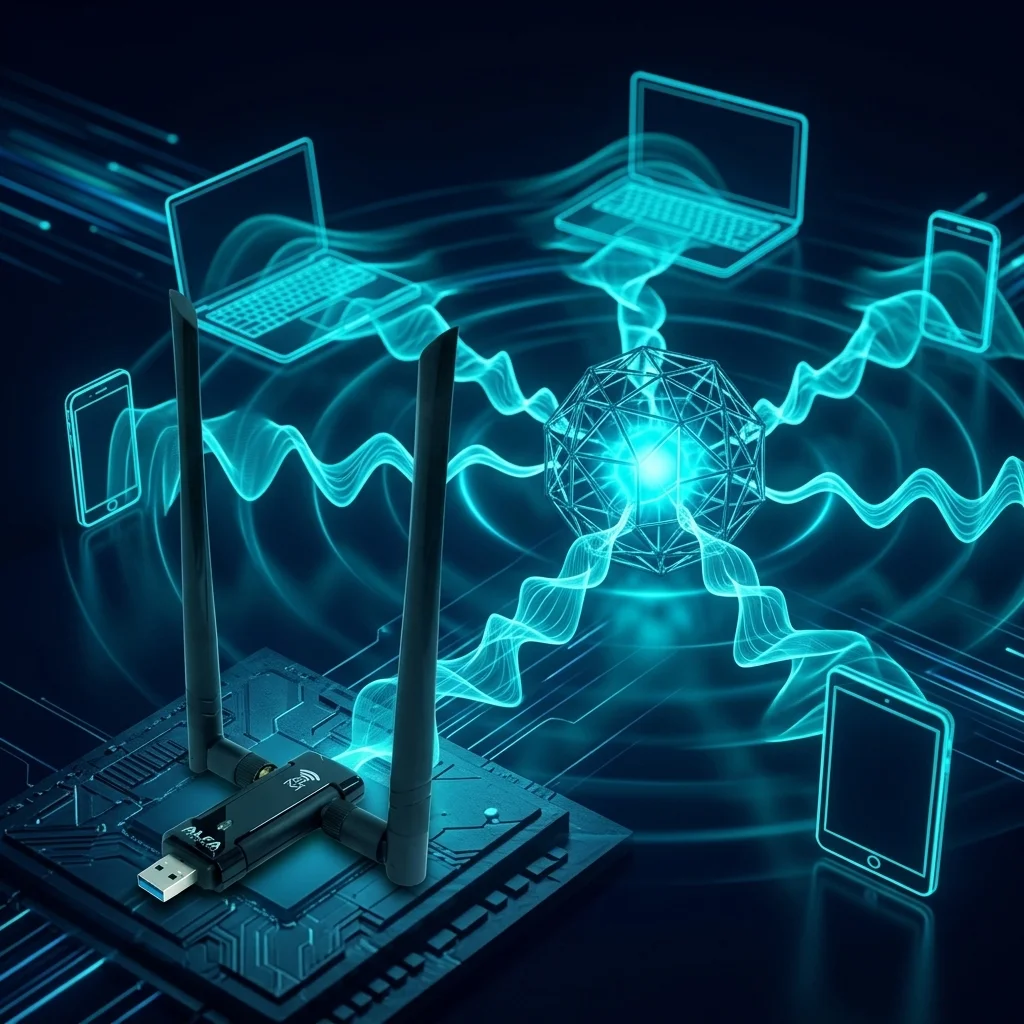
Soft AP (Software Access Point) es la capacidad de convertir un adaptador USB WiFi ordinario en una estación base inalámbrica (Access Point) usando software — principalmente hostapd. This lets other devices (phones, laptops, IoT equipment) connect to the network without buying a dedicated router or AP hardware.
Esta capacidad es invaluable en varios escenarios:
- Router de viaje / hogar: On the road or camping, plug an ALFA adapter into your laptop or Raspberry Pi and instantly create a portable WiFi hotspot
- Laboratorio de pruebas de penetración: Build an isolated Rogue AP for security research
- Relé IoT: Create a repeater in signal dead zones so IoT sensors can transmit data back
- Despliegue de IA en el borde: Industrial environments without wired networking — turn the device into a hotspot for other equipment to connect
- Comunicaciones de emergencia: Rapidly stand up a temporary network when connectivity is lost
Los cuatro componentes principales del Soft AP en Linux#
| Component | Function |
|---|---|
| hostapd | El demonio central que crea el Access Point — gestiona SSID, autenticación, cifrado |
| nl80211 | The standard Linux wireless subsystem interface — the driver must support this framework to work with hostapd |
| dnsmasq | Servidor DHCP que asigna automáticamente direcciones IP a los clientes conectados |
| iptables / nftables | Traducción de Direcciones de Red (NAT) — permite a los clientes conectados compartir la red ascendente |
Concepto clave: Modo Master#
El Modo Master (también llamado Modo AP o Modo Infraestructura) es una capacidad a nivel de controlador. Si el controlador no admite el Modo Master, hostapd simplemente no puede iniciarse — sin importar cuán perfecta sea su configuración.
Verifique el soporte del modo AP con:
iw list | grep -A 10 "Supported interface modes"Si la salida incluye * AP, el controlador del adaptador admite Soft AP. If not, that adapter is unusable for this purpose.
💡 Controladores In-kernel vs Out-of-kernel#
Este es el concepto más importante al elegir un adaptador Soft AP:
| Type | Description | Impact on Soft AP |
|---|---|---|
| Controlador In-kernel | Integrado en el árbol fuente oficial de Linux; se carga automáticamente al arrancar — sin instalación manual | ✅ Estable a largo plazo; sobrevive a las actualizaciones del kernel |
| Controlador Out-of-kernel | Debe descargarse de GitHub y compilarse manualmente; puede necesitar recompilación después de cada actualización del kernel | ⚠️ Puede romperse tras cualquier actualización del kernel |
Para una estabilidad a largo plazo del Soft AP, los controladores in-kernel son muy superiores a los out-of-kernel.
2. Línea de productos ALFA y resumen de chipsets#
Esta es la línea actual de productos ALFA vendidos por Yupitek, with chipsets and preliminary Soft AP assessments:
| Modelo | Chipset | Tipo de controlador | Estándar WiFi | Calificación Soft AP |
|---|---|---|---|---|
| AWUS036ACM | MediaTek MT7612U | In-kernel (kernel 4.19+) | WiFi 5 AC1200 Doble banda | ✅ Soporte completo |
| AWUS036ACH | Realtek RTL8812AU | Out-of-kernel (in-kernel desde 6.14+) | WiFi 5 AC1200 Doble banda | ⚠️ Condicional |
| AWUS036AXML | MediaTek MT7921AUN | In-kernel (5.18+, modo AP 5.19+) | WiFi 6E AX3000 Triple banda | ⚠️ Parcial |
| AWUS036AXM | MediaTek MT7921AUN | In-kernel (same as above) | WiFi 6E AX3000 Tri-band | ⚠️ Partial |
| AWUS036AX | Realtek RTL8832BU | Out-of-kernel (kernel 6.12+ recomendado) | WiFi 6 AX1800 Doble banda | ❌ No recomendado |
| AWUS036AXER | Realtek RTL8832BU | Out-of-kernel (same as above) | WiFi 6 AX1800 Dual-band | ❌ Not Recommended |
Note: AWUS036ACHM (MT7610U) has been discontinued and is no longer listed on the Yupitek product page. This article covers currently available products only.
3. AWUS036ACM (MT7612U) — ⭐ Recomendación principal#
Estado Soft AP: ✅ Soporte completo#
El MT7612U es el chipset Soft AP más estable de la línea actual de ALFA. Its driver mt76x2u has been part of the official Linux kernel since 2018 (kernel 4.19), meaning it works out of the box on any reasonably current system — sin git clone, sin dkms, sin recompilar después de actualizaciones del kernel.
Ventajas clave#
- Soporte dual WPA2 + WPA3: MediaTek’s in-kernel driver natively supports WPA3 SAE — an advantage Realtek drivers cannot match
- Soporte de Interfaz Virtual VIF: Run AP + Managed + Monitor modes simultaneously on a single adapter — no need to buy a second card. Share your network while monitoring the wireless spectrum at the same time
- Consumo ultra bajo: Maximum ~400mA draw, perfect for Raspberry Pi (Pi 4 USB subsystem provides only 1200mA total)
- Multiplataforma: Extensively verified on Kali Linux 2022.x–2025.x, Ubuntu 22.04/24.04, Debian 11/12, and Raspberry Pi OS (Pi 3B+, 4, 5)
Configuración correcta de hostapd (MT7612U)#
The following capability flags have been verified through years of community testing (morrownr/USB-WiFi). They must exactly match MT7612U’s actual hardware capabilities:
# /etc/hostapd/hostapd.conf — AWUS036ACM (MT7612U)
interface=wlan1
driver=nl80211
ssid=YourNetworkName
hw_mode=a                     # 5GHz; use g for 2.4GHz
channel=36                    # UNII-1, non-DFS, safest choice
ieee80211n=1
ieee80211ac=1
wmm_enabled=1
country_code=TW

# MT7612U correct HT / VHT capabilities
ht_capab=[LDPC][HT40+][HT40-][GF][SHORT-GI-20][SHORT-GI-40][TX-STBC][RX-STBC1]
vht_capab=[RXLDPC][TX-STBC-2BY1][SHORT-GI-80][RX-ANTENNA-PATTERN][TX-ANTENNA-PATTERN]
vht_oper_chwidth=1
vht_oper_centr_freq_seg0_idx=42    # Center frequency index for channel 36

# Security: WPA2 + WPA3 mixed mode
auth_algs=1
wpa=2
wpa_key_mgmt=WPA-PSK SAE       # WPA2 + WPA3 dual support
wpa_pairwise=CCMP
rsn_pairwise=CCMP
wpa_passphrase=YourPassword
⚠️ Error más común#
If ht_capab includes capability flags that MT7612U doesn’t actually support (especially when forcing certain HT40 configurations over USB 2.0), hostapd will crash silently with very unhelpful error messages. Only use the verified flag combination above — do not copy settings from other chipsets like RTL8812AU. (Source: GitHub morrownr/USB-WiFi issue #2)
Reseñas de la comunidad#
“Alfa AWUS036ACM works very well with the Raspberry Pi hardware. I have tested the Alfa AWUS036ACM with many different computer systems and Linux distros. In my opinion, it is an outstanding USB WiFi adapter.” — morrownr, maintainer of the most authoritative Linux USB WiFi community knowledge base on GitHub
“This adapter can do monitor mode and packet injection perfectly. Very stable on Linux using native kernels, no need for compiling external drivers.” — eBay user review
“The ACM is a little bit more versatile and easier to set up for AP mode.” — GitHub issue #2 discussion thread
4. AWUS036ACH (RTL8812AU) — Funciona, pero con concesiones#
Estado Soft AP: ⚠️ Soporte condicional#
The RTL8812AU is ALFA’s most iconic penetration testing chipset and a long-time favorite of the Kali Linux community. Its Soft AP functionality does work — basic hotspot creation is fine — but Realtek’s out-of-kernel driver architecture imposes several persistent limitations:
Limitaciones conocidas#
- Sin soporte WPA3: Although the RTL8812AU driver claims to support WPA3, multiple users have confirmed it doesn’t actually work. WPA2-PSK only.
- Sin soporte VIF: Cannot run AP + Monitor mode on the same card simultaneously. If you need AP plus monitoring, you must use two separate adapters.
- Problemas del controlador en Kali Linux 2025.x: The latest aircrack-ng/rtl8812au driver on the newest Kali has compatibility problems — you need to roll back to a specific old commit (
63cf0b4). The situation may improve with kernel 6.14+’s in-kernel rtw88 driver. - Alto consumo de energía: Maximum ~800mA — on Raspberry Pi with multiple USB devices connected, this can cause system instability. Use a powered USB hub.
Configuración de hostapd (RTL8812AU)#
# /etc/hostapd/hostapd.conf — AWUS036ACH (RTL8812AU)
# NOTE: Completely different capabilities from MT7612U!
ht_capab=[HT40+][HT40-][GF][SHORT-GI-20][SHORT-GI-40][TX-STBC][RX-STBC1]
vht_capab=[RXLDPC][SHORT-GI-80][TX-STBC-2BY1][RX-STBC-1][MAX-A-MPDU-LEN-EXP3][RX-ANTENNA-PATTERN][TX-ANTENNA-PATTERN]

# Security: WPA2 only, do NOT add WPA3
wpa=2
wpa_key_mgmt=WPA-PSK
wpa_pairwise=CCMP
Instalación del controlador (Kali Linux / Ubuntu / Debian)#
sudo apt update && sudo apt install -y dkms git build-essential linux-headers-$(uname -r)
git clone https://github.com/aircrack-ng/rtl8812au
cd rtl8812au
# Kali 2025.x requires the older commit
git checkout 63cf0b4
make && sudo make install
sudo modprobe 88XXau
Reseñas de la comunidad#
“I can put an RTL8812AU (AWUS036AC) instead and use ‘sudo service hostapd restart && sudo service dnsmasq restart’ and worked just fine.” — GitHub issue #2 user
“RTL8812AU-based adapters—AP mode works, but you lose WPA3 and VIF support compared to MediaTek.” — morrownr technical notes
Veredicto para ACH#
If you already own an AWUS036ACH, it can serve as a Soft AP (basic hotspot function works). But if you haven’t purchased yet and your primary goal is Soft AP, elija el ACM en su lugar.
5. AWUS036AXML / AWUS036AXM (MT7921AUN) — Proceda con precaución#
Estado Soft AP: ⚠️ Soporte parcial — Problemas conocidos de firmware/controlador#
The AWUS036AXML and AWUS036AXM are ALFA’s WiFi 6E tri-band flagships, covering 2.4 GHz, 5 GHz, and the new 6 GHz band. Their in-kernel driver mt7921u has been in the kernel since version 5.18, with AP mode support officially added in 5.19. However, the MT7921AUN chip also integrates Bluetooth 5.2 — which became the #1 community headache in 2024–2025.
AP Mode Kernel Version Milestones#
| Mode | Minimum Kernel |
|---|---|
| Managed (normal WiFi) | 5.18+ |
| AP Mode (Soft AP) | 5.19+ |
| AP/VLAN | 5.19+ |
| P2P-GO (Wi-Fi Direct AP) | 6.4+ |
Problemas conocidos y soluciones#
Problema 1: Interferencia Bluetooth causando fallos WiFi#
On kernels 6.6+, changes to the BT subsystem cause sporadic WiFi crashes with mt7921u. Reproducibility varies by system environment. The most effective workaround is to disable the btusb driver:
echo "install btusb /bin/false" | sudo tee -a /etc/modprobe.d/local-dontload.conf
sudo reboot
Problema 2: Firmware desactualizado#
If the system’s MediaTek firmware is too old, the adapter may not be recognized correctly. Install firmware from November 2024 or later:
# Check current firmware version
dmesg | grep "WM Firmware"
# Should show: Build Time: 20241106151045 or newer

# If outdated, download from kernel.org
sudo cp WIFI_MT7961_patch_mcu_1a_2_hdr.bin /lib/firmware/mediatek/
sudo cp WIFI_RAM_CODE_MT7961_1a.bin /lib/firmware/mediatek/
sudo reboot
Issue 3: hostapd Version Requirements#
Some users report needing to compile hostapd from git for full WiFi 6 AP mode support. System package manager versions may be incomplete.
Issue 4: Tx Power Display Anomaly in AP Mode#
iw shows only 3 dBm with no adjustment possible, but the chip actually has an internal amplifier — this is a kernel driver display issue, not a hardware limitation.
Issue 5: Monitor Mode Issues on Certain Kernel Versions#
As of December 2025, kernel 6.18 and some earlier mt7921u driver versions have monitor mode problems.
Community Review#
“I have Alfa AXML running as AP on a RPi3B ArchLinux ARM aarch64 host. It’s the most stable mt7921 in my collection. I am running hostapd compiled from git though.” — fhteagle, GitHub issue #476
Veredicto para AXML/AXM#
Choose these if you need WiFi 6E’s 6 GHz band and are willing to occasionally tweak settings. For production environments requiring rock-solid Soft AP stability, choose ACM instead.
6. AWUS036AX / AWUS036AXER (RTL8832BU) — No recomendado para Soft AP#
Estado Soft AP: ❌ No recomendado#
Despite being WiFi 6 adapters, the RTL8832BU chip is a “multi-state” device — it enumerates as USB mass storage by default, requiring a USB mode switch on Linux before it functions as a wireless adapter.
Problemas clave:
- Multi-state Device: Adds deployment complexity — does not appear as a network adapter on plug-in
- Monitor Mode Limitations: Incomplete support below kernel 6.14
- Minimal Soft AP Community Cases: Almost no real-world RTL8832BU Soft AP cases exist, compared to abundant MT7612U and RTL8812AU examples
- Community Documentation Explicitly Discourages It: morrownr/USB-WiFi marks this chipset as “not recommended for penetration testing”
Yupitek’s official documentation clearly states: “AWUS036AX / AWUS036AXER with RTL8832BU chipset has limited monitor mode support below kernel 6.14 and is not recommended for penetration testing. Use AWUS036ACH or AWUS036AXML instead.”
7. Matriz de compatibilidad de plataformas#
AWUS036ACM (MT7612U)#
| Platform | Soft AP | Notes |
|---|---|---|
| Kali Linux 2022.x – 2025.x | ✅ | In-kernel, plug-and-play, kernel 5.x / 6.x |
| Ubuntu 22.04 / 24.04 | ✅ | In-kernel, zero config, use LTS |
| Debian 11 / 12 | ✅ | In-kernel, stable |
| Raspberry Pi 4 (RPi OS) | ✅ | Lowest power (400mA), long-term morrownr verification. Pi 4 USB 3.0 port preferred |
| Raspberry Pi 5 (RPi OS) | ✅ | Same driver as Pi 4, stable |
AWUS036ACH (RTL8812AU)#
| Platform | Soft AP | Notes |
|---|---|---|
| Kali Linux 2022.x – 2025.x | ⚠️ | Needs external driver; 2025.x requires commit 63cf0b4. Kernel 6.14+ rtw88 may improve |
| Ubuntu 22.04 / 24.04 | ⚠️ | May need manual rtw88 or aircrack-ng driver installation |
| Debian 11 / 12 | ⚠️ | Same as above |
| Raspberry Pi 4 | ⚠️ | Works but high power (800mA); use powered USB hub |
| Raspberry Pi 5 | ⚠️ | Same; Pi 5 USB controller differences may affect behavior |
AWUS036AXML / AWUS036AXM (MT7921AUN)#
| Platform | Soft AP | Notes |
|---|---|---|
| Kali Linux 2022.x (kernel 5.18+) | ✅ | Disable btusb, update firmware |
| Kali Linux 2024.x / 2025.x | ⚠️ | Kernel 6.11+ BT/WiFi conflict, unstable |
| Ubuntu 24.04 (kernel 6.8+) | ⚠️ | Issues reported late 2024 |
| Ubuntu 25.04 / CachyOS (kernel 6.14+) | ✅ | Plug-and-play, significant new-kernel improvement |
| Debian 12 | ⚠️ | Depends on kernel version |
| Raspberry Pi 4 / 5 | ⚠️ | Success cases exist but verify firmware + disable BT |
AWUS036AX / AWUS036AXER (RTL8832BU)#
| Platform | Soft AP | Notes |
|---|---|---|
| Kali Linux | ❌ | Multi-state, USB mode switch needed, minimal community cases |
| Ubuntu / Debian | ❌ | Same |
| Raspberry Pi 4 / 5 | ❌ | Same |
8. Guía completa de configuración de Soft AP (AWUS036ACM)#
The following is a complete, step-by-step guide for setting up a 5GHz Soft AP with AWUS036ACM on Raspberry Pi 4.
Paso 1: Verificar la detección del adaptador y el controlador#
# Confirm the adapter is detected
lsusb | grep MediaTek
# Expected: Bus 001 Device 003: ID 0e8d:7612 MediaTek Inc. MT7612U

# Check driver loaded
dmesg | grep mt76
# Expected: mt76x2u 1-1.4:1.0 wlx00c0ca9821a5: renamed from wlan0

# Confirm AP mode support
iw list | grep -A 10 "Supported interface modes"
# Check that output includes "* AP"
Paso 2: Instalar paquetes requeridos#
sudo apt update
sudo apt install -y hostapd dnsmasq iptables
Paso 3: Configurar hostapd#
Create /etc/hostapd/hostapd.conf:
interface=wlan0
driver=nl80211
ssid=Yupitek_AP
hw_mode=a                       # a=5GHz, g=2.4GHz
channel=36                      # UNII-1, non-DFS, safest choice
ieee80211n=1
ieee80211ac=1
wmm_enabled=1
country_code=TW

# HT/VHT settings (MT7612U specific)
ht_capab=[LDPC][HT40+][HT40-][GF][SHORT-GI-20][SHORT-GI-40][TX-STBC][RX-STBC1]
vht_capab=[RXLDPC][TX-STBC-2BY1][SHORT-GI-80][RX-ANTENNA-PATTERN][TX-ANTENNA-PATTERN]
vht_oper_chwidth=1
vht_oper_centr_freq_seg0_idx=42

# WPA2 + WPA3 mixed mode
wpa=2
wpa_passphrase=MySecurePassword123
wpa_key_mgmt=WPA-PSK SAE
wpa_pairwise=CCMP
rsn_pairwise=CCMP

auth_algs=1
macaddr_acl=0
ignore_broadcast_ssid=0
Paso 4: Configurar dnsmasq (DHCP)#
Create /etc/dnsmasq.conf:
interface=wlan0
dhcp-range=192.168.10.2,192.168.10.100,255.255.255.0,12h
dhcp-option=3,192.168.10.1
dhcp-option=6,8.8.8.8,8.8.4.4
Paso 5: Establecer IP estática y NAT#
# Assign static IP to wlan0
sudo ip addr add 192.168.10.1/24 dev wlan0

# Enable IP forwarding
sudo sysctl net.ipv4.ip_forward=1

# Configure NAT (assuming eth0 is the upstream interface)
sudo iptables -t nat -A POSTROUTING -o eth0 -j MASQUERADE
sudo iptables -A FORWARD -i wlan0 -o eth0 -j ACCEPT
sudo iptables -A FORWARD -i eth0 -o wlan0 -m state --state RELATED,ESTABLISHED -j ACCEPT

# Persist iptables rules
sudo apt install -y iptables-persistent
sudo netfilter-persistent save
Paso 6: Iniciar servicios#
sudo systemctl unmask hostapd
sudo systemctl start hostapd
sudo systemctl start dnsmasq

# Check service status
sudo systemctl status hostapd
sudo systemctl status dnsmasq

# Enable auto-start on boot
sudo systemctl enable hostapd
sudo systemctl enable dnsmasq
Una vez completado, busque WiFi en su teléfono o portátil — debería ver el SSID Yupitek_AP.
9. Solución de problemas comunes#
P1: hostapd falla inmediatamente al iniciar#
Symptom: sudo systemctl status hostapd shows exited or failed
Likely Cause: hostapd.conf contains capability flags the chipset doesn’t support
Solution: Remove excess flags. For MT7612U (ACM), the safest approach is to use the verified configuration from Section 3. Do not copy ht_capab from other chipsets.
P2: Los clientes se conectan pero no pueden acceder a Internet#
Symptom: WiFi connected, IP obtained, but ping 8.8.8.8 gets no response
Checklist:
# 1. Check IP forwarding enabled
cat /proc/sys/net/ipv4/ip_forward
# Should output: 1

# 2. Check NAT rules exist
sudo iptables -t nat -L POSTROUTING -v
# Should see MASQUERADE rule

# 3. Confirm upstream interface is working
ping -I eth0 8.8.8.8
P3: AP de 5GHz no visible o inestable#
Possible Causes:
- Using DFS channels (100–144): MT7612U / MT7610U lack DFS support — use UNII-1 channels (36–48)
- Insufficient transmit power: Ensure antennas are properly tightened on RP-SMA connectors
- USB power insufficient (Raspberry Pi): Use official 5A power supply or powered USB hub
P4: hostapd se reinicia constantemente en Raspberry Pi#
Symptom: dmesg shows frequent USB reset messages
Likely Cause: USB port power insufficient (especially with AWUS036ACH high-power chipset, max 800mA)
Solution:
- Use official Pi 5A power supply
- Use a powered USB hub
- Plug adapter into USB 3.0 port (Pi 4 only)
P5: El WiFi de AWUS036AXML/AXM se cae repentinamente o no inicia#
Likely Cause: Bluetooth subsystem interfering with WiFi (MT7921AUN has built-in BT 5.2)
Solution: Permanently disable Bluetooth driver
echo "install btusb /bin/false" | sudo tee -a /etc/modprobe.d/local-dontload.conf
sudo reboot
10. Análisis técnico: VIF, WPA3, Canales DFS#
VIF (Interfaz Virtual): Una tarjeta, múltiples roles#
VIF (Virtual Interface) allows a single physical adapter to operate with multiple logical interfaces simultaneously. For example: one interface connects to the upstream router (managed mode) while another serves as an AP (master mode) for other devices.
Three common scenarios:
| Scenario | VIF Required? | Best Adapter |
|---|---|---|
| Basic NAT routing (eth0 upstream + wlan AP) | ❌ No | Any AP-capable adapter |
| Wireless bridging (WiFi receive + WiFi AP simultaneously) | ✅ Yes | ACM (MT7612U) |
| Monitor + AP simultaneously (security research / Rogue AP) | ✅ Yes | ACM (MT7612U) |
VIF Practical Example (MT7612U):
# Create an additional AP virtual interface alongside existing wlan1
sudo iw phy phy1 interface add ap0 type __ap
sudo ip link set ap0 up
# Now wlan1 can connect upstream while ap0 runs hostapd
Only MediaTek in-kernel drivers (mt76x2u, mt7921u) fully support VIF. Realtek out-of-kernel drivers essentially lack this capability — if you need AP + Monitor simultaneously, you must use two separate adapters.
Comparación de soporte WPA3#
| Chipset | Corresponding Model | WPA2 | WPA3 |
|---|---|---|---|
| MT7612U | AWUS036ACM | ✅ | ✅ Native SAE support |
| MT7921AUN | AWUS036AXML / AXM | ✅ | ✅ Native SAE support |
| RTL8812AU | AWUS036ACH | ✅ | ❌ Claims support but doesn’t work |
| RTL8832BU | AWUS036AX / AXER | ✅ | ⚠️ Unconfirmed |
Selección de canales Soft AP 5GHz: Evitar DFS#
DFS (Dynamic Frequency Selection) channels (ch100–ch140) require kernel-level radar detection. MT7612U and similar chipsets lack DFS support. For 5GHz AP mode, choose:
| Band | Recommended Channels | Reason |
|---|---|---|
| UNII-1 | 36, 40, 44, 48 | All chipsets supported; safest choice |
| UNII-2 (DFS) | 52–144 | Most unsupported; not recommended |
| UNII-3 | 149–165 | Partial support (region-dependent) |
11. Casos reales de la comunidad#
Caso 1: RPi4B + AWUS036ACM = Long-Term Stable Home 5GHz AP#
Source: morrownr/7612u GitHub knowledge base Scenario: morrownr long-term uses RPi4B + AWUS036ACM as a home 5GHz AP, paired with Pi’s built-in 2.4GHz for dual-band service Result: Long-term stable operation, no restarts needed, rated “outstanding” Configuration: hostapd + dnsmasq + iptables NAT
Caso 2: RPi3B+ + ACM — Initial Crash, Fixed#
Source: GitHub morrownr/USB-WiFi issue #2
Problem: hostapd crashed when run over USB 2.0 on RPi3B+
Root Cause: ht_capab contained HT40 flags unsupported under USB 2.0 bandwidth limits
Solution: Removed excess flags; successfully launched on Kali Linux
Caso 3: Pi PwnBox + AWUS036ACH = Red Team Rogue AP#
Source: GitHub koutto/pi-pwnbox-rogueap Scenario: RPi3B+ Rogue AP platform: one RTL8812AU (AWUS036ACH) for AP, another RT3070 (AWUS036NEH) for packet injection attacks Key Finding: Because RTL8812AU lacks VIF, two separate adapters were required (unlike ACM which handles both on a single card)
Caso 4: AWUS036AXML Stable AP on RPi3B ArchLinux ARM#
Source: GitHub issue #476 Scenario: User successfully ran AWUS036AXML in AP mode on RPi3B ArchLinux aarch64 Quote: “It’s the most stable mt7921 in my collection.” Key Requirements: hostapd compiled from git + btusb disabled
Caso 5: AWUS036ACHM (MT7610U, Discontinued) Full-Speed AP on Pi4#
Source: GitHub Discussion #31
Problem: Initial config only achieved 65 Mbps link speed, far below AC 5GHz full speed
Solution: Added correct vht_oper_chwidth=1 and vht_oper_centr_freq_seg0_idx; achieved 433 Mbps link rate
Relevance for ACM: The same VHT parameter configuration is critical for MT7612U (ACM) as well
常見問題
¿Las tarjetas USB ALFA pueden funcionar como punto de acceso WiFi en Linux?
Depende del chipset. El AWUS036ACM (MT7612U) lo admite completamente y es plug-and-play; el AWUS036ACH (RTL8812AU) lo admite con condiciones; el AWUS036AXML lo admite parcialmente y requiere ajustes.
¿Qué tarjeta ALFA es la más adecuada para crear un Soft AP en Raspberry Pi?
El AWUS036ACM es la mejor opción: controlador del núcleo plug-and-play, consumo de solo 400 mA adecuado para la alimentación de la Pi, soporte de WPA3 y VIF, y estabilidad en todas las plataformas.
¿Cómo verificar si la tarjeta admite el modo AP?
Ejecuta iw list | grep -A 10 'Supported interface modes'. Si la salida incluye * AP, el controlador admite Soft AP y hostapd funcionará correctamente.
¿Qué limitaciones tiene el Soft AP con el controlador RTL8812AU?
No admite WPA3 (solo WPA2-PSK), no admite VIF (necesitas dos tarjetas para separar funciones), y consume unos 800 mA, por lo que en la Pi requiere un concentrador USB con alimentación.
¿Qué hacer si el WiFi se desconecta al ejecutar Soft AP con AWUS036AXML?
El MT7921AUN tiene Bluetooth 5.2 integrado que interfiere con el WiFi. Ejecuta echo 'install btusb /bin/false' en /etc/modprobe.d/ para desactivar permanentemente el controlador de Bluetooth y reinicia.
12. Recomendaciones de compra y veredicto final#
Matriz de decisión rápida#
| Rating | Model | Best For | One-Liner |
|---|---|---|---|
| 🥇 Mejor opción | AWUS036ACM | Todos, especialmente principiantes en Soft AP | Estable en todas las plataformas, sin complicaciones |
| 🥈 Utilizable | AWUS036ACH | Usuarios que ya poseen este modelo | Necesita controlador, sin WPA3 |
| 🥉 Avanzado | AWUS036AXML | Usuarios que necesitan WiFi 6E dispuestos a ajustar | Ventaja 6GHz, correcciones manuales necesarias |
| ❌ Evitar | AWUS036AX / AXER | N/A | Soft AP no validado por la comunidad |
🎯 Guía de decisión#
¿Necesita un Soft AP estable en Kali / Ubuntu / Debian / Raspberry Pi 4 o 5? → Elija el AWUS036ACM, sin discusión.
Already own an AWUS036ACH and want to try Soft AP? → It works, but only WPA2, and you’ll need to install the driver. If you accept those limits, go ahead.
Need WiFi 6E (6 GHz band) and willing to configure things? → AWUS036AXML — remember to disable the BT driver and verify kernel ≥ 6.6 LTS.
Primary purpose is Soft AP, not penetration testing? → AWUS036ACM is the only choice with extensive community verification across all platforms.
Conclusión#
El factor central para construir un Soft AP no es la velocidad WiFi ni el número de antenas — es el soporte del modo AP del controlador del chipset.
Among all ALFA products we investigated, AWUS036ACM (MT7612U) es el único adaptador que satisface simultáneamente: controlador in-kernel, WPA3 nativo, interfaces virtuales VIF, bajo consumo y estabilidad multiplataforma. It is the gold standard for Soft AP.
AWUS036ACH (RTL8812AU) works if you accept the limitations. AWUS036AXML/AXM (MT7921AUN) has great potential but the driver maturity is still a work in progress. AWUS036AX/AXER (RTL8832BU) — not recommended for this use case.
Si es la primera vez que configura un Soft AP en Raspberry Pi o Kali Linux — elija ACM. No se arrepentirá.
Enlaces de compra#
- AWUS036ACM — Mejor opción Soft AP
- AWUS036ACH — Adaptador clásico de pentesting
- AWUS036AXML — Flagship tribanda WiFi 6E
- Línea completa de productos ALFA Network
Lecturas adicionales#
- AWUS036ACH vs AWUS036ACM: Full Chipset Driver Comparison
- AWUS036ACM IBSS & Mesh on Raspberry Pi
- morrownr/USB-WiFi — The Authoritative Linux USB WiFi Knowledge Base (4,100+ stars)
- morrownr/7612u — MT7612U Reference (incl. RPi4B Bridged AP Tutorial)
- DeepWiki — morrownr/USB-WiFi Auto-Curated Knowledge Base
📚 Data Sources#
This article aggregates information from:
- morrownr/USB-WiFi GitHub knowledge base (4,100+ stars) with complete iw_list records
- morrownr/7612u — MT7612U Bridged AP on RPi4B tutorial
- GitHub issue tracker — issue #2 (ACM AP config), #476 (AXML AP testing), Discussion #31 (ACHM full-speed AP)
- koutto/pi-pwnbox-rogueap — Alfa adapter RogueAP implementation case
- Rokland authorized retailer Linux support pages
- Lab401 technical reviews and 2025 pentesting best-pick reports
- Raspberry Pi Official Forum — Pi 4/5 USB WiFi compatibility discussions
- Yupitek existing blog — ACM China Install Guide, AXML WiFi 6E Review, Kali Linux 2026 best adapters
Tags: #ALFANetwork #SoftAP #WiFiHotspot #hostapd #KaliLinux #Ubuntu #Debian #RaspberryPi #AWUS036ACM #AWUS036ACH #AWUS036AXML #MT7612U #RTL8812AU #MT7921AUN #Yupitek
Autor: Yupitek Ltd — Distribuidor Autorizado ALFA Network Taiwan
Aviso legal: Datos de investigación actualizados a mayo de 2026. Linux kernels and distributions continue to evolve; driver support may change with new versions. Verify target platform kernel version and driver compatibility before deployment.
Technical Support: For Soft AP setup issues, contact Yupitek Taiwan technical support. Product inquiries: yupitek.com.