The Hak5 Shark Jack Display is a pocket-sized wired network assessment tool with a 1.2-inch OLED display and a rocker switch. It runs interactive DuckyScript payloads on the device, ships with over a dozen built-in payloads, and works with Cloud C². Yopitek offers it in Taiwan.
Product Features#
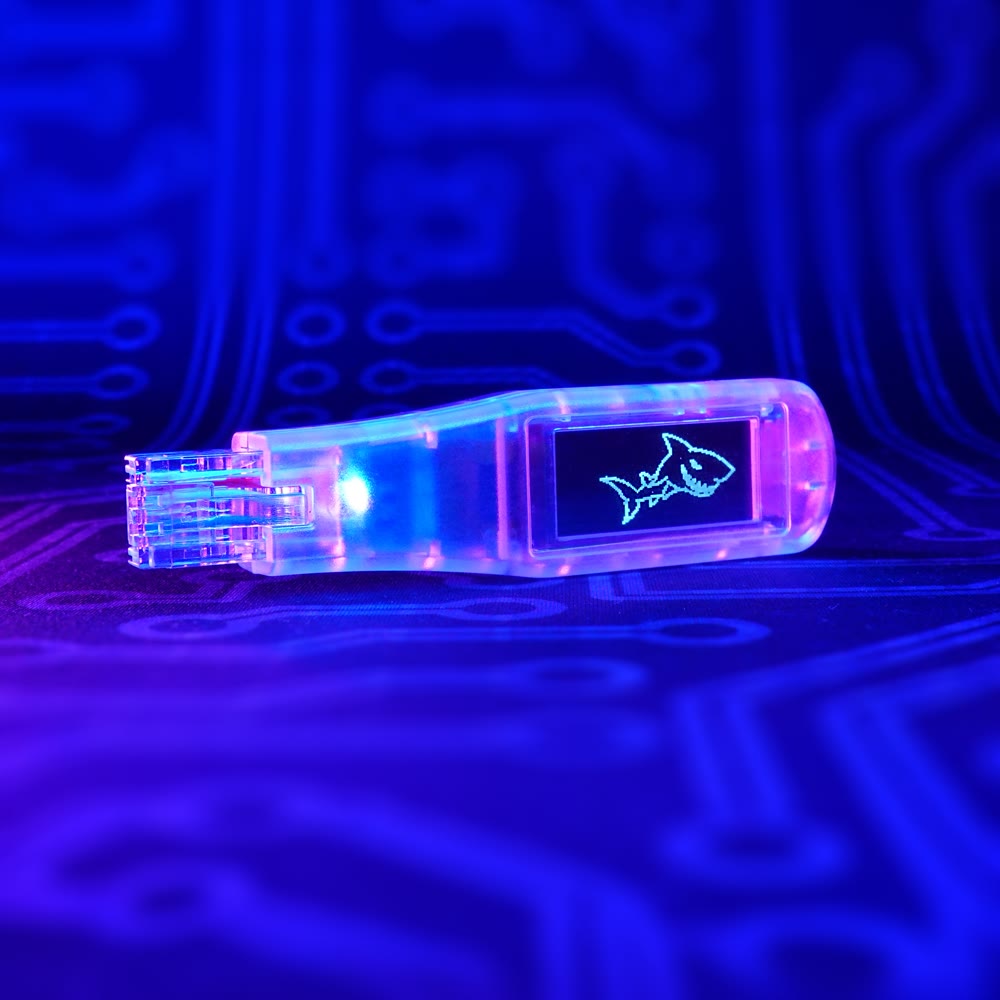
- On-Device Display: 1.2-inch OLED shows live payload feedback, no computer needed
- Interactive DuckyScript Payloads: Bash and DuckyScript on a Linux core with root access
- Built-In Payloads: Over a dozen payloads included, plus on-device firmware updates and Get Payloads downloads
- SharkLink: Run two Shark Jack Displays to discover and verify connectivity between network ports
- Cloud C² Support: Gather loot, exfiltrate and open a shell from a web browser
- USB-C Charging: Serviceable battery, backlit RGB RJ45 plug and an anti-snag cover with keychain loop
Key Specifications#
| Specification | Details |
|---|---|
| Display | 1.2-inch OLED, 128 × 64 pixels (119 PPI), wide viewing angle |
| Network Interface | RJ45 Ethernet plug with backlit RGB LED for attack mode and charge status |
| Battery | Serviceable 110 mAh LiPo with JST connector |
| Charging | USB-C from any USB source, with BMS and LED indicator |
| Input | Spring-loaded rocker switch / button |
| Operating System | Linux core with root access |
| Payloads | Interactive DuckyScript with Bash; over a dozen built-in payloads |
| Management | On-device menus, SSH and Cloud C² |
Application Scenarios#
- Wired network reconnaissance such as Nmap scans, LLDP discovery and client information gathering
- Validating VLAN segmentation, firewall rules and ACLs between network ports with SharkLink
- Red team fieldwork where brief physical access to a network port is available
- IT automation tasks such as connection testing and IP information checks
Official Documentation#
| Resource | Link |
|---|---|
| 📖 Official Documentation | View Online |
| 🛒 Hak5 Shop Product Page | View Product |
Frequently Asked Questions
What is the Shark Jack Display?
It is a pocket-sized wired network assessment tool from Hak5 with a 1.2-inch OLED display and a rocker switch. It runs interactive payloads directly on the device.
What is SharkLink on the Shark Jack Display?
With two Shark Jack Displays running SharkLink, you can discover and verify connectivity between network ports, for example to validate VLAN segmentation, firewall rules and ACLs.
How is the Shark Jack Display charged and managed?
It charges over USB-C from any USB source. You manage it through the on-device menus, SSH, or Cloud C².
How do I buy or request a quote in Taiwan?
Contact Yopitek through the contact page to request a quotation.