- Yopitek Ltd/
- Blog/
- HAK5 WiFi Pineapple Pager × ALFA Network: External USB Wireless Cards Compatibility Guide/
HAK5 WiFi Pineapple Pager × ALFA Network: External USB Wireless Cards Compatibility Guide
Table of Contents
Before plugging any high-power USB adapter into the HAK5 Pager, you must understand two major barriers: CPU architecture and USB power limits.
HAK5 WiFi Pineapple Pager × ALFA Network: The Ultimate Technical Guide to External USB Wireless Cards Compatibility#
Wireless security auditing requires high precision, versatility, and the right hardware. The HAK5 WiFi Pineapple Pager has captured the attention of penetration testers as an ultra-portable, pocket-sized auditing tool running the powerful PineAP v8 engine.
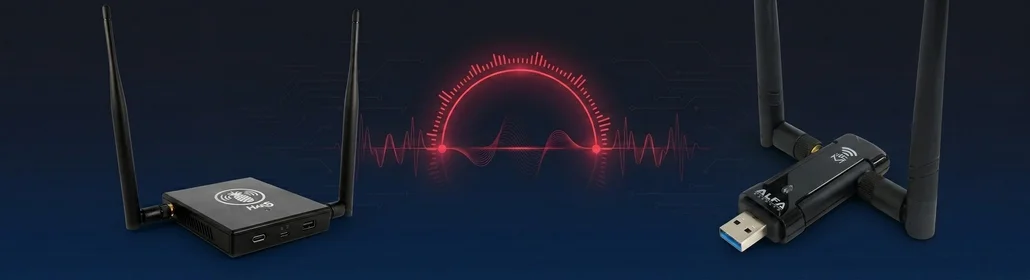
The HAK5 WiFi Pineapple Pager can connect external ALFA adapters. The AWUS036ACM is the top pick for its stable in-kernel driver, while high-power adapters require an externally powered USB Hub to prevent kernel crashes.
However, to maximize its auditing range, conduct dual-band (2.4 GHz & 5 GHz) operations, or run multi-channel passive monitoring without interrupting the Pineapple’s internal radios, security professionals often ask: Can I connect an external ALFA Network wireless adapter to the HAK5 Pager?
The short answer is yes—but with critical hardware and software caveats.
In this comprehensive guide, we dissect the technical constraints (such as CPU architecture and USB power limits), evaluate the compatibility of ALFA’s current product line, and provide step-by-step CLI installation and troubleshooting instructions.
1. Technical Constraints: What You Need to Know#
1.1 CPU Architecture: The MIPS Constraint#
Unlike a standard Kali Linux machine running on x86_64, or a Raspberry Pi running on ARM, the HAK5 Pager is built on the MediaTek MT7628AN SoC (a MIPS32r2, Little-Endian core, compiled as mipsel_24kc in OpenWrt).
Because Pager OS is based on OpenWrt (version 24.10.1, Kernel 6.6.86), it does not support DKMS (Dynamic Kernel Module Support). You cannot compile out-of-kernel driver source code directly on the Pager because it lacks GCC and Make tools. Any non-native driver must be cross-compiled on an external x86_64 Linux machine using the OpenWrt SDK.
1.2 USB 2.0 Power Budget: The Voltage Constraint#
The HAK5 Pager features a single USB 2.0 Host port. According to official USB 2.0 specifications, a standard port can supply a maximum current of 500 mA at 5V (2.5W).
High-power wireless adapters like the ALFA AWUS036ACH (RTL8812AU) or AWUS036AXML (MT7921AUN) require up to 720 mA (3.6W) of power under heavy transmit conditions (such as packet injection or heavy traffic scans).
Plugging a high-power ALFA adapter directly into the Pager’s USB port will cause a voltage drop. This leads to device resets, kernel panics, or adapter dropouts. To use high-power adapters reliably, you must connect the ALFA card through an externally powered USB Hub (5V/2A).
2. ALFA Adapter Compatibility Matrix#
The table below evaluates the compatibility of current ALFA Network USB adapters with the HAK5 Pager running Pager OS (Kernel 6.6):
| ALFA Model | Chipset | Band Support | USB Power Draw | Linux Kernel 6.6 Status | Installation Method | Monitor & Injection | Verdict & Recommendation |
|---|---|---|---|---|---|---|---|
| AWUS036ACM | MediaTek MT7612U | 2.4 GHz / 5 GHz | ~600 mA (Needs Hub) | In-Kernel (Native) | Install via opkg | ✅ Yes / ✅ Yes | 🏆 Gold Standard / Best Choice |
| AWUS036ACH | Realtek RTL8812AU | 2.4 GHz / 5 GHz | ~720 mA (Requires Hub) | Out-of-Kernel | Cross-compile with SDK | ✅ Yes / ✅ Yes | ⭐⭐ Advanced Users Only (MIPS wiphy bug) |
| AWUS036AXML | MediaTek MT7921AUN | 2.4 / 5 / 6 GHz (Wi-Fi 6E) | ~720 mA (Requires Hub) | In-Kernel (Native) | Install via opkg + manual firmware | ✅ Yes / ✅ Yes | ⭐⭐⭐ Great potential, but high power |
| AWUS036ACHM | MediaTek MT7610U | 2.4 GHz / 5 GHz | ~400 mA (Bus-powered) | In-Kernel (Partially) | Install via opkg | ✅ Yes / ✅ Yes | ⭐⭐⭐ Good budget option |
| AWUS036ACS | Realtek RTL8811AU | 2.4 GHz / 5 GHz | ~500 mA (Borderline) | Out-of-Kernel | Cross-compile with SDK | ✅ Yes / ✅ Yes | ⭐⭐ Intermediate (Requires compiling) |
| AWUS036EACS | Realtek RTL8821CU | 2.4 GHz / 5 GHz | ~500 mA | Out-of-Kernel | Not recommended | ❌ No Monitor | ❌ Do Not Use |
3. Step-by-Step Setup Guide#
Here are the step-by-step CLI commands for setting up the most recommended adapters.
3.1 Scenario A: AWUS036ACM (MT7612U) — Plug & Play (Recommended)#
The AWUS036ACM is the absolute best choice for the HAK5 Pager. The MediaTek mt76 driver suite is natively integrated into Linux Kernel 6.6, eliminating the need to compile drivers.
Step 1: Connect Hardware#
- Connect an externally powered USB Hub to the HAK5 Pager’s USB port.
- Plug the AWUS036ACM into the Hub.
- Access the Pager via SSH:
Step 2: Verify Device Recognition#
Run lsusb to verify that the USB controller detects the MediaTek chipset:
lsusb
# Output should display:
# Bus 001 Device 002: ID 0e8d:7612 MediaTek Inc. MT7612U 802.11a/b/g/n/ac Wireless Adapter
Step 3: Install Kernel Modules via opkg#
Update the package manager and install the MT76 USB driver dependencies:
opkg update
opkg install kmod-mt76x2u kmod-mt76-usb firmware-utils
Step 4: Fix the MIPS Scatter-Gather Crash Bug#
On MIPS architecture OpenWrt routers, the mt76-usb driver is known to crash during firmware upload when USB Scatter-Gather (USB SG) is enabled.
To ensure stability and prevent firmware upload failures (-110 error), you must disable USB Scatter-Gather by creating a custom kernel module parameters configuration.
Create the file /etc/modules.d/mt76-usb-sg and input the disable parameter:
echo "mt76-usb disable_usb_sg=1" > /etc/modules.d/mt76-usb-sgReboot the HAK5 Pager to apply the changes:
rebootStep 5: Verify Monitor Mode and Packet Injection#
After rebooting, SSH back in and run:
iw dev
# Look for a new interface (e.g., wlan2)
To enable monitor mode:
ip link set wlan2 down
iw dev wlan2 set monitor none
ip link set wlan2 up
Confirm the interface status:
iw dev wlan2 info
# Look for: "type monitor"
3.2 Scenario B: AWUS036ACH (RTL8812AU) — Advanced SDK Build#
The AWUS036ACH is a gold standard for Kali Linux due to its superior range and sensitivity, but it is not natively supported in OpenWrt Kernel 6.6. It must be cross-compiled.
Pre-requisites#
- A development host running Ubuntu 22.04 or Debian 12 (x86_64).
- OpenWrt SDK for target
ramips/mt76x8(matching Pager’s SoC).
Step 1: Download the OpenWrt SDK on the Host#
On your Ubuntu build machine:
wget https://downloads.openwrt.org/releases/24.10.1/targets/ramips/mt76x8/openwrt-sdk-24.10.1-ramips-mt76x8_gcc-13.3.0_musl.Linux-x86_64.tar.zst
tar --zstd -xf openwrt-sdk-24.10.1-ramips-mt76x8_gcc-13.3.0_musl.Linux-x86_64.tar.zst
cd openwrt-sdk-24.10.1-ramips-mt76x8_gcc-13.3.0_musl.Linux-x86_64
Step 2: Feed the rtl8812au package source#
git clone https://github.com/aircrack-ng/rtl8812au.git package/kernel/rtl8812au
./scripts/feeds update -a
./scripts/feeds install -a
Step 3: Build the Kernel Module#
Configure the SDK menu and select the wireless drivers:
make menuconfig
# Navigate to: Kernel modules -> Wireless Drivers -> Select kmod-rtl8812au
Compile the package:
make package/kernel/rtl8812au/compile V=sStep 4: Transfer and Install#
The compiled .ipk package will be located in the bin/packages/mipsel_24kc/ directory. Transfer it to the Pager:
scp bin/packages/mipsel_24kc/base/kmod-rtl8812au*.ipk [email protected]:/tmp/
ssh [email protected] "opkg install /tmp/kmod-rtl8812au*.ipk"Under MIPS targets, the rtl8812au out-of-kernel driver is known to trigger wiphy_register errors, which fails to register the physical device under the kernel. If you encounter this, you will need to apply patches directly to the rtl8812au source files before compilation. We highly recommend using the MediaTek-based AWUS036ACM to avoid this issue.
4. Pen-Testing Capabilities Unlocked#
Connecting a compatible ALFA Network card to your HAK5 Pager unleashes several operational advantages:
- 5 GHz Auditing Coverage: While the Pager’s primary internal chip is single-band (2.4 GHz only) or dual-band (depending on configuration), adding an external dual-band card guarantees you can capture WPA/WPA2 handshakes and monitor probe requests on the modern 5 GHz spectrum.
- Dedicated Attack Radios: You can dedicate the internal radio for target association (Rogue AP / Evil Twin) or managing connections, while assigning the ALFA adapter (
wlan2) exclusively to perform continuous de-authentication injections. - PineAP Integration: You can select the external adapter as the target interface under the PineAP settings page in the Web UI or configure it via the CLI to increase client trapping speeds by up to 10x.
常見問題
Can HAK5 WiFi Pineapple Pager use external ALFA adapters?
Yes, but note MIPS architecture limitations and USB 2.0 power. AWUS036ACM is the top choice with the most stable in-kernel driver.
Why does Pager need a powered USB hub?
Pager only has USB 2.0 ports with 500mA max output. High-power ALFA adapters peak at 720mA, causing reboots or kernel panics when plugged directly.
Why is AWUS036ACM the preferred adapter for Pager?
The MT7612U driver is integrated into the OpenWrt 6.6 kernel. On Pager, install via opkg directly with no cross-compilation needed. Most stable and reliable.
What limitations does MIPS architecture impose on driver installation?
Pager is based on MIPS32 MT7628AN, which does not support DKMS and has no GCC toolchain. Non-in-kernel drivers must be cross-compiled on an external x86 host.
What known issues does RTL8812AU have on Pager?
RTL8812AU has a wiphy_register kernel error on MIPS platforms, preventing interface loading. A community patch is needed. AWUS036ACM is recommended instead.
5. Conclusion & Verdict#
Integrating an ALFA Network card into the HAK5 WiFi Pineapple Pager creates a highly competent, low-profile tactical audit station. However, hardware considerations are paramount:
- For immediate, reliable deployments: Choose the ALFA AWUS036ACM due to its native MediaTek driver stability under Kernel 6.6 and simple setup.
- For power requirements: Always use a high-quality, externally powered USB Hub to feed the high-power wireless cards.
For more technical inquiries, hardware procurements, or custom OpenWrt SDK compilation requests, contact the Yupitek Support Team:
- 🌐 Official Website: www.yupitek.com
- 📧 Support Email: [email protected]
- 📞 Telephone: +886-2-87325338
- 📍 Location: 1F., No. 72, Ln. 34, Fuyang St., Xinyi Dist., Taipei City, Taiwan