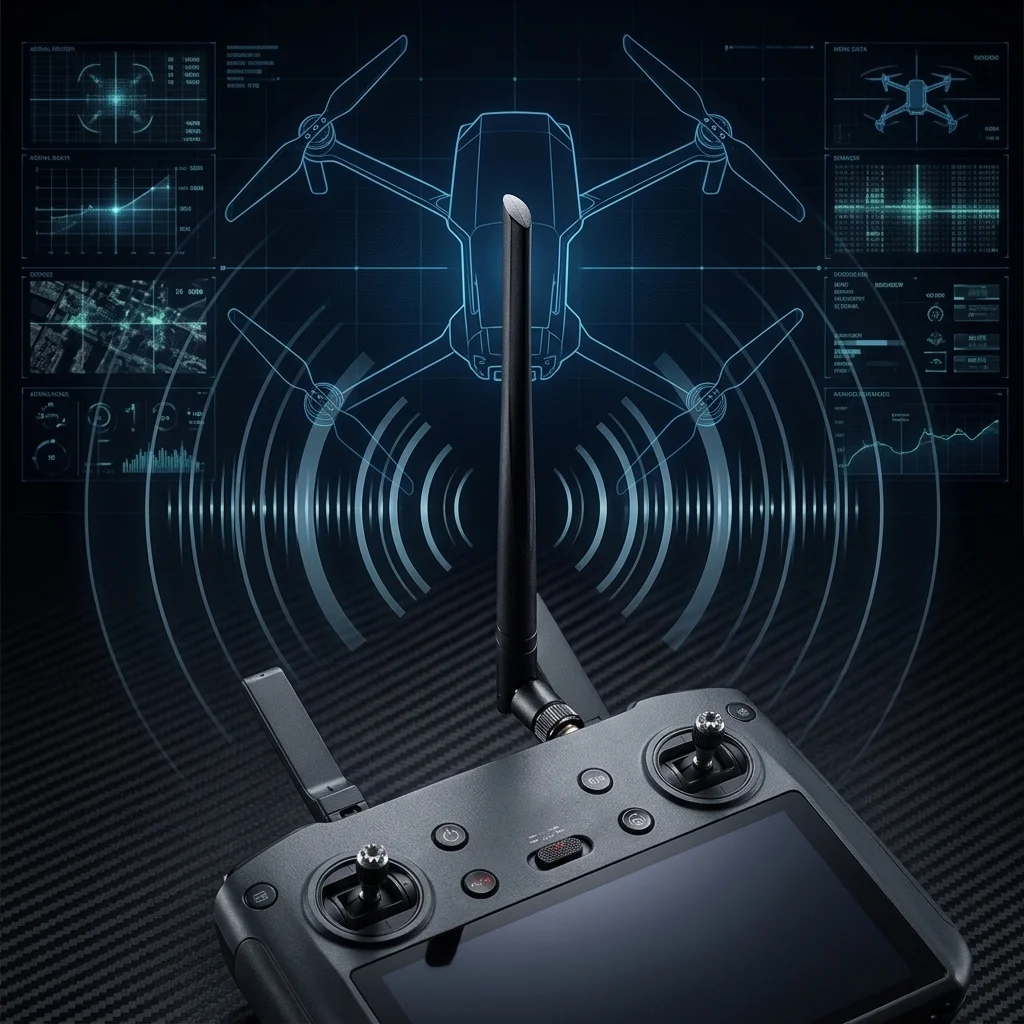
DJI Drone Controller Antenna Upgrade: Extend Range with ALFA Antennas
Table of Contents
DJI drone controllers are more upgrade-friendly than most pilots realize. The external antenna ports on the RC-N1, RC2, RC Pro, and Smart Controller all use RP-SMA connectors — the same standard found on ALFA Network’s external USB Wi-Fi adapter antennas. This single compatibility detail opens the door to a straightforward, tool-free range upgrade.
Replacing a stock 2 dBi rubber duck antenna with a 10 dBi directional panel like the ALFA APA-M25 can deliver up to 6× stronger signal toward the drone in forward-facing flights. For most operators, this translates into meaningfully improved reliability at distance — fewer dropped video feeds, more consistent control responsiveness, and better margin within the legal line-of-sight envelope.
This guide covers the most compatible ALFA antenna models, explains the RP-SMA connector standard, sets realistic range expectations based on field observations, and addresses the legal and regulatory framework you must understand before flying with extended range equipment.
Understanding DJI Controller Antennas#
Stock Antenna Performance#
DJI’s standard controller antennas are omnidirectional rubber duck dipoles rated at approximately 2 dBi gain. They are optimized for compact size and broad coverage rather than maximum range in any specific direction. For the majority of recreational flights at short distances, they perform adequately — but they leave considerable RF margin on the table for pilots operating near the edges of their legal flight zone.
Frequency Bands#
DJI’s OcuSync 3 (O3) and O4 transmission systems operate across two frequency bands:
- 2.4 GHz — better obstacle penetration, preferred in congested RF environments
- 5.8 GHz — higher throughput, lower latency; preferred in open areas
Both bands are active simultaneously on dual-band controllers, with the DJI system automatically selecting the cleaner channel in real time.
Connector Type#
On controllers with removable antennas, DJI uses RP-SMA Female sockets on the controller body. This means you need an antenna with an RP-SMA Male plug — which is exactly what ALFA’s accessory antennas provide.
Controller Compatibility Reference#
| DJI Controller Model | Frequency Bands | Connector Type | Antenna Removable? |
|---|---|---|---|
| RC-N1 | 2.4 / 5.8 GHz | RP-SMA Female | ✅ Yes |
| RC2 | 2.4 / 5.8 GHz | RP-SMA Female | ✅ Yes |
| RC Pro | 2.4 / 5.8 GHz | RP-SMA Female | ✅ Yes |
| Smart Controller | 2.4 / 5.8 GHz | RP-SMA Female | ✅ Yes |
| RC-N1 (Mini 3 Pro) | 2.4 / 5.8 GHz | Internal | ❌ No |
| DJI Goggles 2 | 2.4 / 5.8 GHz | RP-SMA Female | ✅ Yes |
Why Panel Antennas Improve Range#
Directional vs. Omnidirectional#
A standard rubber duck antenna radiates RF energy in a roughly spherical pattern — 360° in the horizontal plane and roughly hemispherical vertically. This is ideal when you don’t know where the target is, but wasteful when the drone is always somewhere in front of you.
A panel (patch) antenna concentrates RF energy into a forward-facing cone. Energy that would otherwise radiate behind you, sideways, or toward the ground is redirected forward — increasing the effective signal strength in your flight direction without increasing transmit power.
Gain Math#
The ALFA APA-M25 achieves:
- 8 dBi at 2.4 GHz
- 10 dBi at 5.8 GHz
Compared to a stock 2 dBi antenna, the 10 dBi panel provides 8 dB of additional gain in the forward direction. In practical terms:
Every 3 dB of gain doubles effective radiated power in that direction. 8 dB improvement ≈ 6× stronger forward signal.
Free Space Path Loss#
At 5.8 GHz, free-space path loss over 1 km is approximately 113 dB. A 10 dBi antenna on the controller (with no other changes) recovers 8 dB of that budget — meaningfully extending the point at which the link drops below minimum sensitivity.
The Trade-Off#
Directional antennas require you to keep the panel facing toward the drone. For most line-of-sight flying, this is natural — the controller naturally points in the drone’s direction when you hold it in a normal flying position. The beam width on the APA-M25 is approximately 60–70°, which is wide enough to cover typical flight arcs without constant re-aiming.
Compatible ALFA Antennas for DJI Controllers#
APA-M25 — Dual Band 2.4/5 GHz (Best Choice)#
The ALFA APA-M25 is the top recommendation for most DJI O3/O4 pilots. Its dual-band coverage perfectly matches the frequency bands DJI uses, and its size-to-performance ratio is excellent for field use.
Key specifications:
- Gain: 8 dBi @ 2.4 GHz / 10 dBi @ 5.8 GHz
- Dimensions: 167 × 66 × 18 mm
- Weight: 72 g
- Connector: RP-SMA Male
- Coverage: 60–70° forward beam width
- Compatible systems: DJI O3, O3+, O4 (2.4 and 5.8 GHz)
At 72 grams, the APA-M25 doesn’t add meaningful fatigue on extended flights. The panel format sits flat against the top of most DJI controllers and can be held naturally during flight. For a dual-antenna controller, replacing both stock antennas with APA-M25 units is the most effective upgrade path.
APA-M25-6E — Triple Band with 6 GHz (Future-Proof)#
The ALFA APA-M25-6E adds 6 GHz band support to the APA-M25’s dual-band foundation.
Key specifications:
- Gain: 8 dBi @ 2.4 GHz / 10 dBi @ 5 GHz / 10 dBi @ 6 GHz
- Connector: RP-SMA Male
- Additional coverage: Wi-Fi 6E (6 GHz) band
Current DJI relevance: No current DJI consumer drone product uses 6 GHz for its primary control/video link. However, this antenna is worth considering for:
- Pilots who also use the antenna with Wi-Fi 6E access points or adapters
- Future DJI systems that may incorporate 6 GHz spectrum
- FPV setups using Wi-Fi-based systems on 6 GHz
If you’re solely using this for a DJI controller today, the standard APA-M25 offers equal performance at lower cost. But if future-proofing matters to your setup, the 6E variant is the better investment.
👉 View APA-M25-6E product page
ARS-NT5B7 — Wi-Fi 7 Tri-Band Dipole (All-Weather)#
The ALFA ARS-NT5B7 is an industrial-grade omnidirectional dipole antenna covering all three modern Wi-Fi frequency bands.
Key specifications:
- Gain: 4 dBi @ 2.4 GHz / 5 dBi @ 5 GHz / 7 dBi @ 6 GHz
- Operating temperature: −40°C to +85°C
- Connector: RP-SMA Male
- Profile: Slim dipole — lighter and more compact than panel antennas
Why it suits drone operations:
The industrial temperature rating makes this antenna suitable for flying in extreme weather — mountain locations in winter, desert environments in summer. Where the APA-M25 provides higher forward gain, the ARS-NT5B7 maintains a full omnidirectional pattern — useful for situations where pointing the controller precisely is impractical (mounted on a vehicle, tripod-mounted controller, multi-operator setups).
The slim profile also creates less wind resistance than a panel antenna during hand-held flying in strong wind conditions.
ARS-25-57A — Dual Band Paddle (Everyday Upgrade)#
The ALFA ARS-25-57A is a compact dual-band paddle antenna — a step up from a rubber duck without requiring the directional awareness of a panel.
Key specifications:
- Gain: 5 dBi @ 2.4 GHz / 7 dBi @ 5 GHz
- Pattern: Omnidirectional
- Connector: RP-SMA Male
- Use case: Drop-in rubber duck replacement
This antenna is the simplest upgrade path. Unscrew the stock antenna, screw on the ARS-25-57A, and fly — no pointing or orientation adjustment required. The gain improvement over stock (3–5 dB depending on band) provides a measurable link quality improvement without the operational overhead of panel antenna management.
Ideal for pilots who want a single-step upgrade and prefer not to think about antenna orientation during flight.
👉 View ARS-25-57A product page
Connector Compatibility Guide#
RP-SMA vs SMA: Critical Distinction#
These two connector standards look nearly identical but are physically and electrically incompatible:
| Feature | Standard SMA | RP-SMA (Reverse Polarity SMA) |
|---|---|---|
| Male plug center | Pin (solid) | Socket (hole) |
| Female jack center | Socket (hole) | Pin (solid) |
| Used in | Military/industrial RF | Consumer Wi-Fi, DJI controllers |
| ALFA antennas | ❌ Not used | ✅ All ALFA accessory antennas |
DJI controllers use RP-SMA Female sockets. ALFA accessory antennas use RP-SMA Male plugs. These are directly compatible — just screw together hand-tight.
Extension Cables#
If you want to mount the antenna on a tripod or ground station stand while operating the controller separately, use an RP-SMA extension cable. For minimal signal loss:
- RG-316 — low-loss coaxial, flexible, suitable for most field lengths up to 50 cm
- RG-174 — slightly lower loss than RG-316 at short lengths, very flexible
- Avoid generic RG-58 cable for extension use — higher loss at 5.8 GHz offsets the antenna gain
Range Test Results (Real-World Expectations)#
These figures represent typical field observations across clear line-of-sight environments. Actual results vary significantly based on local RF interference, terrain, atmospheric conditions, and drone model.
| Setup | Typical Effective Range | Notes |
|---|---|---|
| Stock DJI antennas (both) | 1.5 – 3 km | Clear LOS, low interference area |
| APA-M25 (one antenna) + stock | 2.5 – 4 km | Controller pointed toward drone |
| APA-M25 (both antennas replaced) | 4 – 7 km | Both panels pointed at drone |
| ARS-25-57A (both antennas) | 2 – 4.5 km | Omni, no pointing required |
| ARS-NT5B7 (both antennas) | 2 – 4 km | Industrial omni, similar pattern |
Legal and Regulatory Considerations#
VLOS Requirements#
| Jurisdiction | Standard Limit | BVLOS Authorization |
|---|---|---|
| Taiwan (CAA) | VLOS required | Waiver/permit required |
| USA (FAA Part 107) | VLOS required | BVLOS waiver required |
| European Union (EASA) | VLOS required | Specific operations authorization |
| Japan (MLIT) | VLOS required | Level 4 certification required |
Type Certification Implications#
Replacing the external antennas on a DJI controller may affect the controller’s CE, FCC, or local type certification status. The controller was type-certified with its stock antennas. Installing a higher-gain antenna may cause the system to exceed the certified effective isotropic radiated power (EIRP) for its frequency band.
- In Taiwan, operating radio equipment that exceeds NCC (National Communications Commission) EIRP limits is a violation of the Telecommunications Management Act.
- In the US, FCC Part 15 rules restrict EIRP for unlicensed devices.
- ALFA antennas are sold as accessory replacement components. Installation, compliance verification, and legal responsibility rest with the end user.
Installation Steps#
Upgrading the antennas on a DJI controller with RP-SMA connectors requires no tools and takes approximately two minutes.
What you need:
- Replacement ALFA antenna(s) with RP-SMA Male connector
- Your DJI controller
- Optional: RP-SMA extension cable if mounting on a stand
Step-by-step installation:
- Power off the controller before disconnecting any antenna.
- Grasp the base of the stock antenna near the controller body — not the antenna itself.
- Rotate counterclockwise to unscrew. The antenna should come free after 3–4 full turns.
- Inspect the RP-SMA Female port on the controller for any debris or bent pins.
- Thread the ALFA antenna’s RP-SMA Male plug onto the controller port by hand, rotating clockwise.
- Tighten to hand-tight — firm contact, but do not use tools or over-torque. SMA/RP-SMA connectors are rated for hand-tightening only.
- Repeat for the second antenna if your controller has dual ports.
- Store the stock antennas safely — you’ll want them if you need to return the controller for service.
Antenna orientation:
- For panel antennas (APA-M25): the flat face of the panel should point toward your primary flight area.
- For dual panel setups: mount both panels side by side at the same angle, or spread them in a slight V-shape (approximately 15° apart) for modestly wider horizontal coverage.
- For dipole antennas (ARS-NT5B7, ARS-25-57A): orient vertically for best omnidirectional coverage in the horizontal plane.
Frequently Asked Questions#
Q: Will replacing the antennas void my DJI warranty?
A: On controllers that ship with RP-SMA connectors (RC-N1, RC2, RC Pro, Smart Controller), the external antennas are user-serviceable parts. DJI does not explicitly warrant the antennas separately from the controller. Replacing the antenna itself is unlikely to affect warranty coverage on the controller body — but modifying the controller hardware in any other way would. Always keep your stock antennas so you can reinstall them before sending the controller in for service.
Q: My DJI controller doesn’t have visible antenna connectors. Can I still upgrade?
A: Some DJI controllers — particularly the RC-N1 paired with Mini 3 Pro, and some configurations of the RC controller — use fully internal antenna designs. These are not user-replaceable without disassembly and void the warranty immediately. If your controller has no visible threaded metal collar near the top, it uses an internal antenna and is not compatible with the upgrade described in this guide.
Q: Can I use these ALFA antennas for non-DJI FPV systems?
A: Yes, any RP-SMA compatible 2.4 GHz or 5.8 GHz system is compatible. This includes:
- ExpressLRS (ELRS) transmitters and receivers operating on 2.4 GHz
- FrSky R9 systems (note: R9 operates on 915 MHz — a different frequency requiring different antennas)
- TBS Crossfire (915 MHz — also incompatible; requires 900 MHz antennas)
- Video transmitters (VTX) on 5.8 GHz with RP-SMA connectors
Always match both the connector type and the frequency band when selecting a replacement antenna.
Q: What’s the difference between replacing one antenna vs. both on a dual-antenna controller?
A: On a dual-antenna controller, the DJI OcuSync system uses both antennas for diversity reception — it continuously selects the antenna with the stronger signal. Replacing only one antenna with a high-gain panel creates an asymmetric setup where one antenna significantly outperforms the other. The diversity system will favor the upgraded antenna most of the time, but performance is maximized when both antennas are matched. For best results, replace both.
Q: Do I need to change any settings in the DJI app after upgrading?
A: No. DJI controllers manage antenna selection and frequency band selection automatically. No app configuration changes are required after a physical antenna swap. The system will simply benefit from the improved signal quality without any manual adjustment.
常見問題
Can DJI controllers use ALFA antennas?
Yes. RC-N1, RC2, RC Pro, and Smart Controller use RP-SMA female connectors, directly compatible with ALFA accessory antenna RP-SMA male connectors. Hand-tighten to swap.
What is the difference between RP-SMA and standard SMA?
RP-SMA male center has a socket, standard SMA male center has a pin. Polarities are opposite. They look similar but are physically incompatible. Forcing a connection will damage the connector.
How much range does the APA-M25 antenna panel add?
Dual APA-M25 panels typically reach 4-7 km in open line-of-sight, with forward signal strength about 6x stronger than stock. Actual results vary by environment.
Will replacing the antenna void the DJI warranty?
External antennas on controllers with RP-SMA connectors are user-serviceable parts. Replacement itself does not void warranty, but keep the original antennas for reinstallation during service.
Can I legally fly further after an antenna upgrade?
No. Most countries require visual line of sight (VLOS). The antenna upgrade improves link reliability and signal margin within legal range, not regulatory limits.
Conclusion#
Upgrading your DJI controller antennas is one of the most accessible and cost-effective RF improvements available to drone operators. The RP-SMA connector standard makes ALFA’s accessory antennas directly compatible with the RC-N1, RC2, RC Pro, and Smart Controller — requiring nothing more than a hand-tightened swap.
For most pilots, the ALFA APA-M25 is the right choice: dual-band 2.4/5 GHz coverage, 10 dBi gain at 5.8 GHz, and a practical form factor for field use. Pilots who prefer a no-pointing-required upgrade will find the ARS-NT5B7 or ARS-25-57A more operationally convenient.
Whatever antenna you choose, remember that the goal of an antenna upgrade is improved reliability and link margin within your legal flight zone — not a justification for flying further than regulations allow. Fly responsibly, keep your stock antennas safe, and enjoy the improved link quality.
Related guides:
- ALFA Antenna Upgrade Guide — All Models Compared
- ALFA APA-M25 Product Page
- ALFA ARS-NT5B7 Product Page