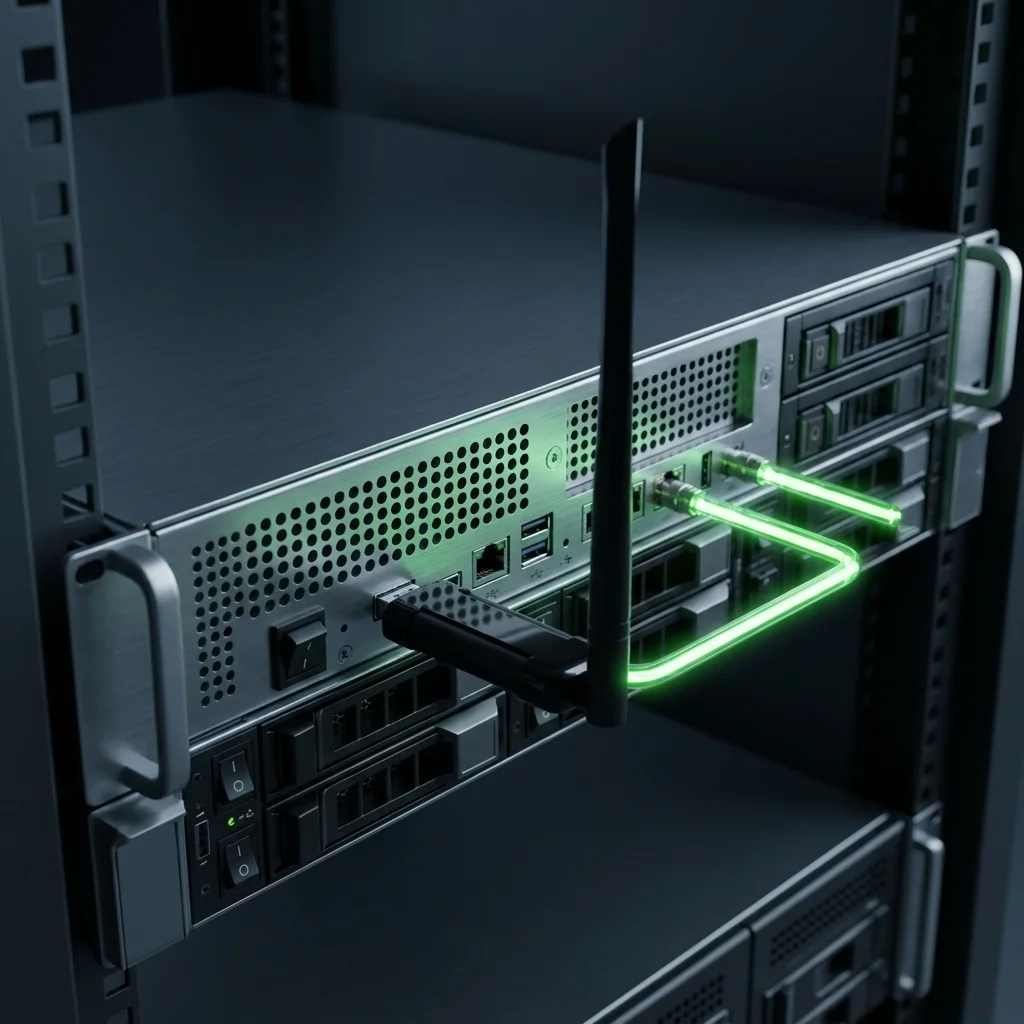
DGX Spark Wi-Fi Not Connecting? Fix It in 10 Minutes with This ALFA USB Adapter
Table of Contents
Your long-awaited NVIDIA DGX Spark (codenamed Project DIGITS) has finally arrived.
You unbox it, plug in the power, and the OOBE (first-time setup) screen appears — everything looks smooth. You select your Wi-Fi network, enter the password, and the screen spins for thirty seconds…
“Can’t connect to this network.”
Try again. Reboot. Reset. Still fails.
You are not alone. Over on the NVIDIA Developer Forums, dozens of threads are complaining about the exact same thing: the DGX Spark’s Wi-Fi is broken.
This is not a configuration mistake. This is a known design flaw in the DGX Spark.
Root Cause: Why Is DGX Spark Wi-Fi So Unreliable?#
The DGX Spark — and every other AI server built on the NVIDIA GB10 Grace Blackwell Superchip — uses the MediaTek MT7925 Wi-Fi 7 chip. On paper, it’s top-tier hardware.
The problem is in the software layer.
Three Fatal Flaws#
① The OOBE Wi-Fi supplicant is too stripped-down
DGX Spark’s first-time setup uses a minimal wpa_supplicant that strips out most enterprise authentication features. This makes it completely unable to complete association with certain access points — Ubiquiti UniFi being the most commonly reported case.
NVIDIA has explicitly documented this issue in the DGX Spark Release Notes (April 2026 update), and it remains unfixed as of this writing.
② WPA2-Enterprise is incompatible
If your office or lab uses WPA2-Enterprise (common in corporate environments), the DGX Spark’s built-in Wi-Fi is almost guaranteed to fail. This is not something you can fix with a config file — it’s a double limitation in both the driver layer and the supplicant.
③ Random “No Wi-Fi Adapter Found” errors
Multiple users on the NVIDIA forums (thread #356183) report that the DGX Spark will randomly show “No Wi-Fi Adapter Found” during normal use, requiring a full reboot to recover. Worse still, the system does not auto-reconnect after a dropout — you have to manually run nmcli commands to get back online.
| Problem | Impact |
|---|---|
| OOBE can’t connect to enterprise APs | UniFi / WPA2-Enterprise — completely broken |
| Random “No Wi-Fi Adapter Found” | Requires reboot, interrupts dev workflow |
| No auto-reconnect after dropout | Remote management becomes useless |
| Release Notes acknowledge the issue | NVIDIA confirmed, not an isolated case |
💡 The good news: While these software-level issues won’t be fully fixed anytime soon, there is a simple, stable, and fully compatible hardware fix.
Not Just DGX Spark — Every GB10 AI Edge Server Shares the Same Wi-Fi Chip#
The DGX Spark gets all the attention simply because it’s NVIDIA’s own brand and shipped first. But the reality is that every AI Edge Server powered by the NVIDIA GB10 Grace Blackwell Superchip uses the exact same MediaTek MT7925 Wi-Fi 7 chip — same driver stack, same wpa_supplicant limitations, same compatibility problems.
There are currently six GB10 AI Edge Servers available on the market:
GB10 AI Edge Server Full Spec Comparison#
All models share these core specifications:
| Component | Specification |
|---|---|
| Superchip | NVIDIA GB10 Grace Blackwell |
| CPU | 20-core Arm (10× Cortex-X925 + 10× Cortex-A725) |
| GPU | NVIDIA Blackwell GPU, 5th Gen Tensor Cores / 4th Gen RT Cores |
| AI Performance | 1 PFLOP FP4 (1000 TOPS AI) |
| System Memory | 128 GB LPDDR5x unified, 256-bit, 273 GB/s bandwidth |
| Memory Interconnect | NVLink-C2C (5× PCIe 5.0 bandwidth) |
| NIC | NVIDIA ConnectX-7 SmartNIC (200G × 2 QSFP) |
| Ethernet | 1× 10GbE RJ-45 |
| Wi-Fi Chip | MediaTek MT7925 Wi-Fi 7 (2×2) |
| Display Output | 1× HDMI 2.1a |
| Operating System | NVIDIA DGX OS (Ubuntu Linux-based) |
| Power Supply | 240W USB-C external adapter |
| Dual-Unit Stacking | Supported (up to 405B parameter models) |
Here are the differences between brands:
| Feature | ASUS ASCENT GX10 | MSI EdgeXpert | NVIDIA DGX Spark | HP ZGX Nano G1n | ALTOS BrainSphere GB10 F1 | GIGABYTE AI TOP ATOM |
|---|---|---|---|---|---|---|
| Storage | 1TB / 2TB / 4TB NVMe | 1TB / 4TB NVMe | 1TB / 4TB NVMe | 1TB / 2TB / 4TB NVMe | 4TB NVMe | 1TB / 4TB NVMe (Gen5 max) |
| Wi-Fi Module | AW-EM637 (Wi-Fi 7) | Wi-Fi 7 | Wi-Fi 7 | MT7925 (Wi-Fi 7) | Wi-Fi 7 | Wi-Fi 7 |
| Bluetooth | BT 5.4 | BT 5.3 | BT 5.4 | BT 5.4 | BT 5.4 LE | BT 5.4 |
| USB | 4× USB 3.2 Gen 2×2 Type-C | 4× USB 3.2 Type-C | 4× USB Type-C | 4× USB Type-C | 4× USB 3.2 Gen 2×2 Type-C | 4× USB 3.2 Gen 2×2 Type-C |
| Dimensions | 150×150×51mm | 151×151×52mm | 150×150×50.5mm | 150×150×51mm | 150×150×50mm | 150×150×50.5mm |
| Weight | 1.48 kg | 1.2 kg | 1.2 kg | 1.25 kg | < 1.5 kg | 1.2 kg |
| Bundled Software | — | — | — | HP ZGX Toolkit | Altos aiGeni Platform | — |
⚠️ Bottom line: No matter which GB10 AI Edge Server you bought, the built-in Wi-Fi is the same MediaTek MT7925 chip, and all of them can run into the same connectivity problems. The ALFA USB adapter solution below works on all six models.
The Fix: One USB Wi-Fi Adapter, Ten Minutes#
NVIDIA only officially tests DGX OS (based on Ubuntu 24.04). All GB10 platforms use the ARM64 (aarch64) architecture with Kernel version 6.17 or newer.
This means your USB Wi-Fi adapter must meet three requirements:
- ✅ In-kernel Linux driver — no compilation, no DKMS
- ✅ Full ARM64 (aarch64) support — plug-and-play on GB10
- ✅ Proven stability — widely validated by the community
Out of dozens of USB Wi-Fi adapters on the market, very few satisfy all three.
🥇 The Only Recommendation: ALFA AWUS036ACM#
| Item | Detail |
|---|---|
| Chipset | MediaTek MT7612U |
| Driver | Linux Kernel built-in mt76 (since Kernel 4.19) |
| Bands | Dual-band 2.4GHz + 5GHz (AC1200) |
| Antenna | 2× RP-SMA detachable 5dBi (upgradeable) |
| Interface | USB 3.0 Type-A |
| Monitor Mode | ✅ Full support |
| AP Mode | ✅ Supported |
| TAA Compliant | ✅ Meets U.S. government procurement standards |
Why This One? Six Reasons#
1. The only truly driver-free plug-and-play solution
The mt76 driver has been part of the mainline Linux Kernel since version 4.19. DGX Spark’s Kernel 6.17 supports it natively. Plug it into a USB port, and the system loads the driver automatically — you install nothing.
2. The only ARM64-validated option
The MT7612U has been battle-tested on ARM platforms for years — Raspberry Pi OS (aarch64), Ubuntu Server (ARM64), and more. The GB10’s ARM64 architecture is fully compatible with zero patches needed.
3. The only zero-compile, zero-config solution
Unlike Realtek RTL8812AU which requires DKMS and recompilation after every Kernel update, the ACM needs none of that. Update your DGX OS Kernel — the ACM still works, instantly.
4. The only driver-free solution with full monitor mode + packet injection
If you plan to run Kali Linux VMs on your DGX Spark for security research, the ACM is currently the only driver-free adapter that supports Monitor Mode, Packet Injection, and Virtual Interfaces (VIF).
5. The only mid-to-high-end option with swappable antennas
Two RP-SMA detachable antennas. Ships with 5dBi, and you can swap in 7dBi or 9dBi high-gain antennas as needed — perfect for edge deployments in server rooms or factories where Wi-Fi signals are weak.
6. The only TAA-compliant option
If your organization has government procurement requirements, the ALFA AWUS036ACM is one of the few external USB Wi-Fi adapters with TAA compliance.
Hands-On: From “No Wireless” to Dual-Network in 10 Minutes#
Here’s the complete workflow for using the ALFA AWUS036ACM on your DGX Spark:
Step 1: Plug in the USB adapter#
Insert the AWUS036ACM into any USB 3.0 Type-A port on your DGX Spark.
Open a terminal and run:
dmesg | tail -20You should see output similar to this:
mt76_usb 3-1:1.0: MAC/BBP MT7612U (rev 2)
mt76_usb 3-1:1.0: firmware loaded: mt7612u.bin
ieee80211 phy1: rt2x00_set_rt: Info - RT chipset 7612, rev 0200 detected
ieee80211 phy1: rt2x00lib_probe_dev: Information - Successfully initialized device
This is the signal that the driver loaded automatically. You installed nothing.
Step 2: Confirm the adapter is recognized#
nmcli device statusYou should see wlan1 (or wlx...) listed with status disconnected.
Step 3: Connect to Wi-Fi#
# Scan for available networks
nmcli device wifi list

# Connect to your SSID (replace "MyLabWiFi" with yours)
sudo nmcli device wifi connect "MyLabWiFi" password "your-password"

# Verify connection status
nmcli connection show --active
Step 4: Enable auto-connect on boot#
If the previous step succeeded, nmcli automatically saves the connection profile. It will auto-connect on every subsequent boot.
Verify the profile is saved:
nmcli connection showSee your SSID in the list — done. From plugging in the USB to stable Wi-Fi, it takes less than ten minutes total.
This Is What a Real AI Server Network Architecture Looks Like#
With the AWUS036ACM, your DGX Spark network setup graduates to a professional dual-network architecture:
%%{init:{"theme":"dark","themeVariables":{"primaryColor":"#2d1f4e","primaryTextColor":"#e2d9f3","primaryBorderColor":"#7c3aed","lineColor":"#9d6dff","secondaryColor":"#1a1030","tertiaryColor":"#0e0818","background":"#0e0818","mainBkg":"#1e1040","nodeBorder":"#7c3aed","clusterBkg":"#150d2a","titleColor":"#c4b5fd","edgeLabelBackground":"#1a1030","attributeBackgroundColorEven":"#1e1040","attributeBackgroundColorOdd":"#150d2a"}}}%%
flowchart TD
    subgraph sub1["🌐 Network Layer"]
        direction LR
        A["⚡ 10GbE / ConnectX-7
Model Training · Large Data Transfer"]
        B["📡 ALFA AWUS036ACM
SSH Management · Jupyter · System Updates"]
    end

    C["🖥️ DGX Spark / GB10
ARM64 | 128GB | 20-Core CPU"]

    subgraph sub2["🎯 Use Cases"]
        D["🤖 AI Developer
Inference + SSH in Parallel"]
        E["🔐 Security Lab
LLM Training + Penetration Testing"]
        F["🚀 Edge Deployment
Production Network + Isolated Management"]
    end

    A -->|High-Speed Data| C
    B -->|Management Link| C
    C --> D
    C --> E
    C --> F
Why split the traffic?
AI model training generates massive network traffic — downloading pre-trained weights, syncing datasets, distributed training communication. If you mix this with SSH management on the same link:
- SSH sessions become sluggish or timeout altogether
- 10GbE bandwidth gets wasted on management traffic
- If the primary connection drops (e.g. during a model download hang), you can’t even remote in to fix it
With the split, your management connection stays stable regardless of model workload.
Three Scenarios, One Adapter#
Scenario A: AI Developer#
10GbE → Model inference, data transfer
ALFA ACM → SSH, Jupyter Notebook, system updates
Scenario B: Security Research Lab#
GB10 → Running LLM fine-tuning
Kali Linux VM → USB passthrough ALFA ACM → Wireless penetration testing
Scenario C: Edge Deployment (Factory / Warehouse)#
10GbE → Production network
ALFA ACM + high-gain antennas → Office management Wi-FiFAQ#
Q: The AWUS036ACM’s MT7612U and the GB10’s built-in MT7925 are both MediaTek — aren’t they the same thing?
A: Same manufacturer, completely different driver architecture. The MT7925 uses the mt7925e driver, a newer PCIe-interface driver that’s still being refined. The MT7612U uses the mt76 USB driver, which has been maturing since Kernel 4.19 and is extremely stable.
Q: Does this adapter work outside of DGX OS?
A: Absolutely. The MT7612U driver is part of the mainline Linux Kernel — Ubuntu, Debian, Raspberry Pi OS, Kali Linux, Fedora, Arch Linux — anything with Kernel 4.19 or newer. Plug and play on all of them.
常見問題
Why does DGX Spark Wi-Fi fail to connect?
DGX Spark has a built-in MediaTek MT7925 Wi-Fi 7 chip, but the OOBE-stage wpa_supplicant is too stripped down. It is incompatible with certain AP brands (especially UniFi), and WPA2-Enterprise almost certainly fails.
Does the ALFA USB adapter fix apply to all GB10 AI Servers?
Yes. All AI Edge Servers with the NVIDIA GB10 Grace Blackwell Superchip (ASUS, MSI, HP, ALTOS, GIGABYTE) use the same MT7925 Wi-Fi chip. The ALFA AWUS036ACM fix works universally.
Does AWUS036ACM need driver installation on DGX Spark?
No. The MT7612U mt76 driver has been in the mainline kernel since 4.19. DGX OS Kernel 6.17+ supports it natively. Plug into USB and it auto-loads.
How long does the ALFA USB adapter Wi-Fi fix take?
Under ten minutes. Plug into a USB 3.0 port, the system auto-loads the driver, then scan and connect via nmcli. No driver compilation or reboot needed.
Can I use other ALFA adapters on DGX Spark?
AWUS036ACH (RTL8812AU) requires manual driver compilation, which is not guaranteed on the GB10 ARM64 platform. AWUS036ACM is the only confirmed zero-compilation, plug-and-play solution.
Summary: No Matter Which GB10 You Have, Get It Online in 10 Minutes#
Whether you bought a NVIDIA DGX Spark, ASUS ASCENT GX10, MSI EdgeXpert, HP ZGX Nano, ALTOS BrainSphere GB10 F1, or GIGABYTE AI TOP ATOM — these GB10 AI Edge Servers are phenomenal AI development machines: 128GB unified memory, 20-core ARM CPU, ConnectX-7 200GbE networking. But they all share the same MediaTek MT7925 Wi-Fi chip, and they can all get stuck at the same first step.
The ALFA AWUS036ACM solution is almost absurdly simple: plug it in, done.
But that simplicity is exactly what real engineering productivity looks like — you shouldn’t be debugging Wi-Fi drivers. You should be training models.
Compared to other approaches, the advantage is clear:
| Approach | Time | Reliability | Maintenance |
|---|---|---|---|
| Wait for NVIDIA to fix the Wi-Fi driver | Unknown (months?) | Uncertain | Low |
| Buy a Wi-Fi bridge | 30 min setup | Medium | Medium |
| ALFA AWUS036ACM | < 10 min | Highest | Zero |
Ten minutes, one USB adapter, and your AI Server is truly online.
📌 ALFA AWUS036ACM in stock now → Yupitek Product Page
Yupitek Ltd is an authorized ALFA Network distributor in Taiwan For orders or technical inquiries: [email protected]
Sources: NVIDIA DGX Spark Release Notes, NVIDIA Developer Forums, morrownr/USB-WiFi GitHub, ALFA Network Docs, Linux Kernel Wireless Documentation