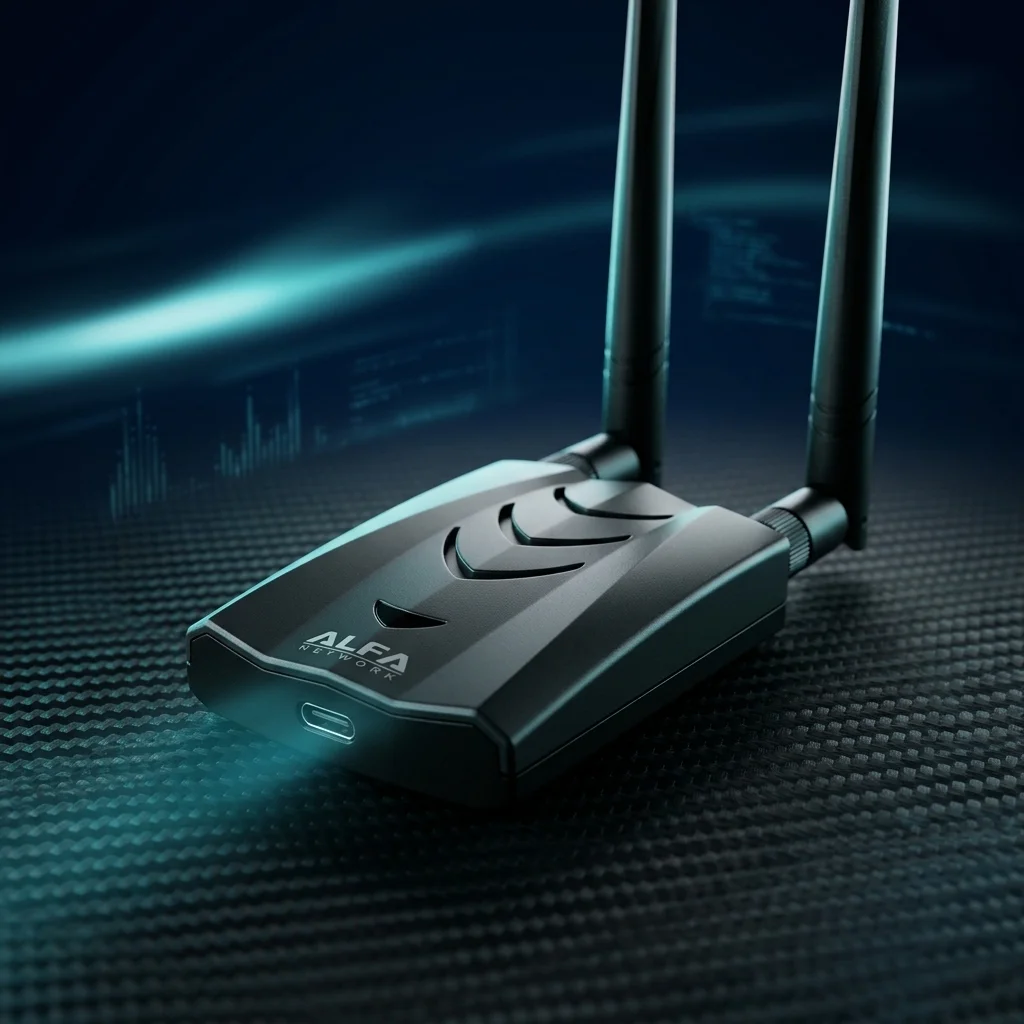
ALFA AWUS036AXML WiFi 6E Review: Real-World Pentesting Performance in 2026
Table of Contents
The ALFA AWUS036AXML is ALFA Network’s entry into the Wi-Fi 6E era of wireless security research. It is built around the Mediatek MT7921AUN chipset and is, as of 2026, one of the very few USB wireless adapters that allows security researchers to operate in the 6 GHz band — the newest unlicensed spectrum allocation that Wi-Fi 6E networks use.
Product Overview#
The ALFA AWUS036AXML with MediaTek MT7921AUN chipset is one of the few USB WiFi adapters that lets security researchers operate in the 6 GHz band. It supports monitor mode and packet injection, requiring Linux kernel 5.18 or above.
This matters because enterprise and consumer Wi-Fi 6E deployments are now widespread. A pentester equipped only with dual-band (2.4/5 GHz) adapters is effectively blind to an entire class of modern network infrastructure. The AWUS036AXML fills that gap.
The adapter connects via USB-A and is powered entirely from the USB bus — no external power required. It ships with a dual-band (2.4/5 GHz) rubber duck antenna and an RP-SMA connector that accepts third-party high-gain antennas for extended range testing.
Specifications#
| Parameter | Value |
|---|---|
| Chipset | Mediatek MT7921AUN |
| Standard | IEEE 802.11ax (Wi-Fi 6E) |
| Frequency Bands | 2.4 GHz / 5 GHz / 6 GHz |
| Maximum Data Rate | AX1800 (574 Mbps @ 2.4 GHz, 1201 Mbps @ 5/6 GHz) |
| Interface | USB-A 3.0 |
| Antenna Connector | RP-SMA (1×) |
| Antenna (included) | 2 dBi dual-band rubber duck |
| USB Power Draw | ~900 mA (max) |
| Dimensions | 95 mm × 25 mm × 15 mm (body) |
| Operating Temperature | 0°C to 50°C |
| OS Support | Linux (kernel 5.18+), Windows 10/11 |
| Monitor Mode | ✅ Supported |
| Packet Injection | ✅ Supported |
Build Quality and Design#
The AWUS036AXML uses a matte black plastic housing that feels solid without being heavy. The USB-A plug is reinforced with a metal collar, which matters when the adapter is going to be connected and disconnected frequently during field work. The RP-SMA connector has a reasonable amount of lateral resistance — it does not wobble under the weight of a standard antenna.
The form factor is compact and practical. It fits comfortably in a laptop bag, and the short body means it does not stress the USB port when plugged in directly. For longer field deployments, pairing it with a short USB extension cable is good practice both to reduce mechanical stress on the port and to allow antenna positioning for optimal signal.
The included dual-band antenna is functional but limited to 2 dBi. For 6 GHz operation specifically, the included antenna is adequate for short-range testing but does not compare to higher-gain alternatives available with RP-SMA connections.
Kali Linux Driver Setup#
This is the most critical section for security researchers. The MT7921AUN driver situation has improved significantly since the chipset launched, but it still requires attention.
Kernel Version Requirement#
The mt7921u driver (for USB MT7921 variants) was introduced in Linux kernel 5.18. Check your current kernel version:
uname -rExpected output on current Kali Linux 2024.x / 2025.x:
6.8.0-kali3-amd64Any 6.x kernel is sufficient. If you are running an older kernel (5.15 or earlier), update Kali before proceeding:
sudo apt update && sudo apt full-upgrade -y
sudo reboot
Verify the Driver Loads Automatically#
After plugging in the AWUS036AXML, check whether the kernel recognized it:
lsusb | grep -i mediatekExpected output:
Bus 001 Device 003: ID 0e8d:7961 MediaTek Inc. Wireless_DeviceCheck that the driver module loaded:
lsmod | grep mt7921Expected output:
mt7921u               28672  0
mt7921_common         98304  1 mt7921u
mt76_connac_lib       65536  2 mt7921u,mt7921_common
mt76                 131072  3 mt7921u,mt7921_common,mt76_connac_lib
mac80211             933888  3 mt7921u,mt7921_common,mt76
If the module is missing, load it manually:
sudo modprobe mt7921uWireless Interface Verification#
Confirm the interface is created:
ip link show | grep wlanYou should see an entry like wlan0 or wlx<mac-address>. Check its capabilities:
iw phy phy0 info | grep -A5 "Frequencies"Look for entries in the 6000–7125 MHz range — these confirm 6 GHz support is active.
Firmware#
The MT7921AUN requires binary firmware files. On Kali Linux, these are typically installed via the firmware-misc-nonfree package:
sudo apt install firmware-misc-nonfreeIf the adapter enumerates via lsusb but no wireless interface appears, a missing firmware file is the most likely cause. Check dmesg for firmware load errors:
dmesg | grep -i mt7921A successful firmware load looks like:
[    5.420113] mt7921u 1-1.4:1.0: HW/SW Version: 0x8a108a10, Build Time: 20230905153852a
[    5.623841] mt7921u 1-1.4:1.0: WM Firmware Version: ____010000, Build Time: 20230905153852
An error looks like:
[ 5.312441] mt7921u 1-1.4:1.0: Direct firmware load for mediatek/WIFI_MT7961_patch_mcu_1_2_hdr.bin failedIf you see firmware load failures, manually download the firmware from the Linux firmware repository and copy to /lib/firmware/mediatek/.
Monitor Mode and Packet Injection#
airodump-ng send active probe requests. Use passive monitor mode only — avoid active injection while in monitor mode on this adapter. This is a kernel driver issue, not a hardware defect.Enabling Monitor Mode#
sudo airmon-ng check kill
sudo airmon-ng start wlan0
Verify:
iwconfig wlan0monExpected output:
wlan0mon IEEE 802.11 Mode:Monitor Frequency:2.457 GHz Tx-Power=20 dBmTesting Packet Injection#
sudo aireplay-ng --test wlan0monIn testing, the AWUS036AXML achieves consistent injection success rates above 90% when positioned within reasonable range of target access points. The MT7921AUN driver’s injection implementation is solid on kernel 6.x — noticeably more stable than the early 5.18/5.19 releases where occasional frame drops were observed during sustained injection.
6 GHz Band Scanning#
The 6 GHz band is where Wi-Fi 6E networks operate exclusively. Scanning this band requires an adapter and driver that both support it.
Scan for 6 GHz Networks with airodump-ng#
sudo airodump-ng --band 6 wlan0monOr scan all three bands simultaneously:
sudo airodump-ng --band abg wlan0monNote: The
--band 6flag instructs airodump-ng to scan the 6 GHz spectrum. Not all versions of airodump-ng support this flag — ensure you are running aircrack-ng 1.7 or later.
Expected Output (6 GHz Networks Visible)#
 CH 37 ][ Elapsed: 12 s ][ 2026-03-23 09:42

 BSSID              PWR  Beacons    #Data, #/s  CH   MB   ENC CIPHER  AUTH ESSID

 AA:BB:CC:11:22:33  -58       12        0    0  37  540   WPA3 CCMP   SAE  Enterprise6E
 DD:EE:FF:44:55:66  -71        8        0    0  53  270   WPA3 CCMP   SAE  HomeWiFi6E
The channel numbers in the 6 GHz band range from 1 to 233 (non-overlapping: 1, 5, 9, 13, …). Seeing APs in these channels confirms 6 GHz scanning is working.
iw Scan (Alternative)#
sudo iw dev wlan0mon scan | grep -E "BSS|SSID|freq|signal"This produces a more verbose output that includes the frequency in MHz, which makes 6 GHz networks immediately identifiable (frequencies above 5925 MHz).
Real-World Performance#
Signal Capture Quality#
In a mixed-environment test (office building with multiple 2.4 GHz, 5 GHz, and 6 GHz networks), the AWUS036AXML captured beacon frames from all three bands without configuration changes beyond enabling monitor mode. The 6 GHz capture was the most notable result — competing adapters based on RTL8812AU or MT7612U simply do not see these networks.
At 15 meters through two standard office walls, 6 GHz signal strengths ranged from -65 to -78 dBm depending on the target AP’s transmit power. This is adequate for handshake capture but not ideal for range-extended testing. Swapping to a higher-gain external antenna improved results by approximately 8–10 dBm.
Range on 2.4 and 5 GHz#
Performance on the legacy bands matches or slightly exceeds the AWUS036ACM (MT7612U). The MT7921AUN’s AX capabilities do not provide direct pentesting advantages over AC-generation adapters, but the cleaner driver implementation on recent kernels means fewer dropped captures during long-running airodump-ng sessions.
Channel Hopping Speed#
During broad-area reconnaissance with airodump-ng channel hopping enabled, the AWUS036AXML maintains acceptable dwell times across all three bands. There is a slight overhead when including 6 GHz channels due to the larger channel range, but this does not meaningfully impact reconnaissance quality for most use cases.
Pros and Cons#
| Pros | Cons |
|---|---|
| Only USB adapter with reliable 6 GHz support for Kali Linux | Requires kernel 5.18+ (older Kali installs need update) |
| Full monitor mode and packet injection support | MT7921AUN driver is newer; edge cases may exist |
| MT76 driver is upstream in Linux kernel | Included antenna limited to 2 dBi |
| Stable on current Kali 2024.x / 2025.x kernels | 6 GHz range limited compared to 5 GHz without higher-gain antenna |
| USB-A 3.0 — broadly compatible with test laptops | Single antenna, no MIMO for capture diversity |
| RP-SMA connector for antenna upgrades | Slightly higher price than dual-band alternatives |
Comparison: AWUS036AXML vs AWUS036ACH#
| Feature | AWUS036AXML | AWUS036ACH |
|---|---|---|
| Chipset | MT7921AUN | RTL8812AU |
| Wi-Fi Standard | 802.11ax (Wi-Fi 6E) | 802.11ac (Wi-Fi 5) |
| Bands | 2.4 / 5 / 6 GHz | 2.4 / 5 GHz |
| Monitor Mode | ✅ | ✅ |
| Packet Injection | ✅ | ✅ |
| Kernel Driver | mt7921u (in-kernel, 5.18+) | rtl8812au (out-of-tree, very stable) |
| Driver Maturity | Newer, actively developed | Mature, battle-tested since ~2017 |
| 6 GHz Support | ✅ | ❌ |
| Antenna Connectors | 1× RP-SMA | 2× RP-SMA |
| Best For | Wi-Fi 6E target environments | Maximum compatibility, proven stability |
The verdict: If your target environment includes Wi-Fi 6E networks — and in 2026, many enterprise environments do — the AWUS036AXML is the correct tool. Its driver is newer but the MT76 project is well-maintained by the Linux kernel community. If you need the most battle-hardened, widest-compatible option for legacy and modern dual-band networks, the AWUS036ACH remains an excellent choice with years of proven field use behind it.
Many professional pentesters carry both: the AWUS036ACH for reliable dual-band work and the AWUS036AXML specifically for environments with Wi-Fi 6E infrastructure.
Who Should Buy the AWUS036AXML#
Security researchers targeting enterprise environments. Large organizations that have deployed Wi-Fi 6E infrastructure are increasingly common. Without a 6 GHz-capable adapter, a wireless assessment is incomplete — you will miss a significant portion of the client and AP activity.
Labs and training facilities. If you are teaching wireless security and want students to be familiar with the current state of Wi-Fi technology, including 6 GHz band operation, the AWUS036AXML is the appropriate training tool.
Researchers working on Wi-Fi 6E protocol analysis. The combination of monitor mode, packet injection, and 6 GHz access makes the AWUS036AXML the only practical USB option for studying WPA3-SAE behavior on 6 GHz networks, 6 GHz BSS coloring, and multi-link operation (MLO) frame analysis.
Future-proofing. If you are purchasing a wireless adapter for security research in 2026 and want it to remain relevant as Wi-Fi 6E adoption continues to accelerate, the AWUS036AXML is the forward-looking choice.
常見問題
What frequency bands does the AWUS036AXML support?
It supports tri-band 2.4 GHz, 5 GHz, and 6 GHz, complying with IEEE 802.11ax Wi-Fi 6E. It is one of the few USB wireless adapters that lets security researchers operate in the 6 GHz band.
What Linux kernel version does AWUS036AXML need?
The mt7921u driver was merged into the mainline kernel starting from Linux 5.18. Kali Linux 2024.x / 2025.x with 6.x kernels work fine.
What is the main difference between AWUS036AXML and AWUS036ACH?
AWUS036AXML uses MT7921AUN supporting 6 GHz and Wi-Fi 6E. AWUS036ACH uses RTL8812AU supporting only dual-band Wi-Fi 5, but its driver is more mature with broader compatibility.
Does AWUS036AXML support packet injection?
Yes. Tested injection success rates stay above 90%, but active monitor mode has known driver limitations. Passive monitor mode is recommended.
Who should buy the AWUS036AXML?
Security researchers evaluating enterprises with deployed Wi-Fi 6E, security training labs, and researchers working on 6 GHz protocol analysis will find it most suitable.
The ALFA AWUS036AXML is available from Yopitek — Taiwan’s authorized ALFA Network distributor. Purchasing through Yopitek ensures you receive a genuine, NCC-certified product with manufacturer warranty coverage and local technical support.