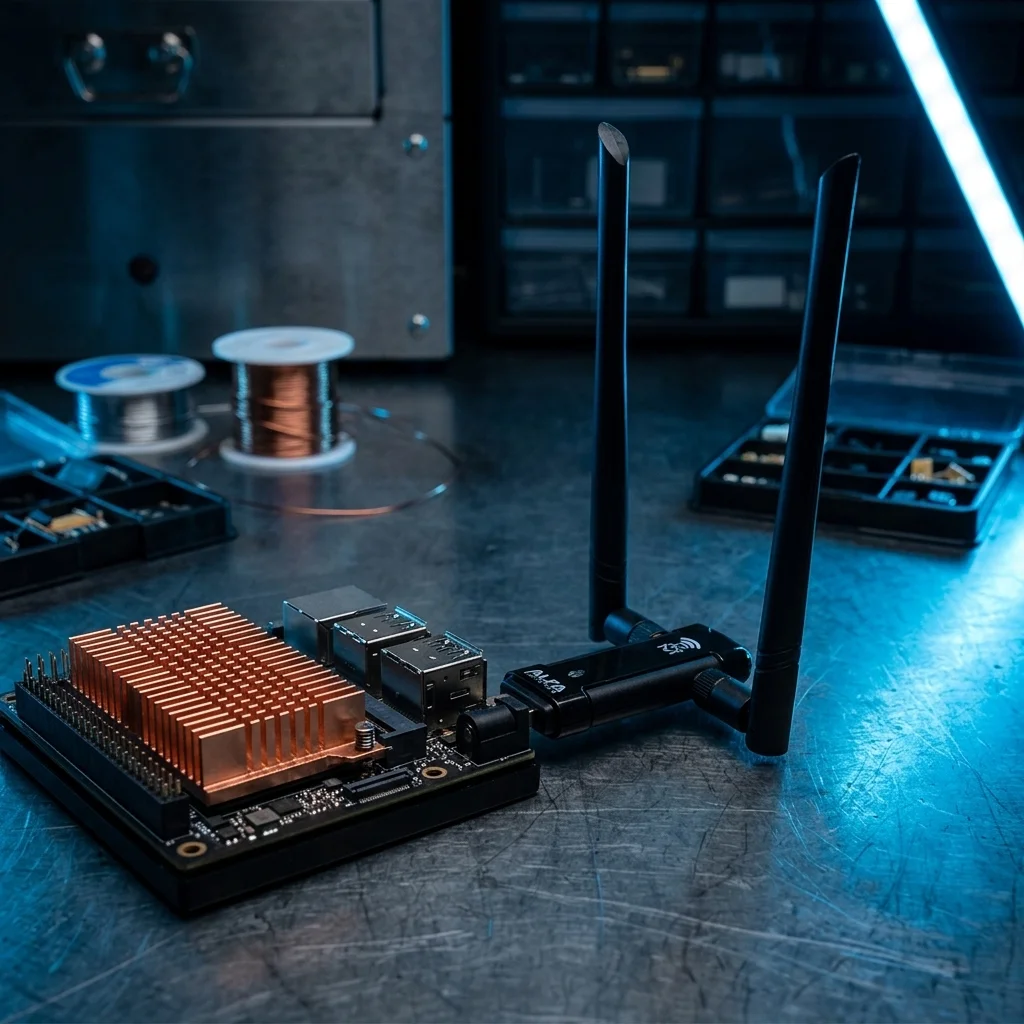
Zero-Compile Setup: ALFA AWUS036ACM on Jetson Orin Edge AI Systems
Table of Contents
“I have an AVALUE AIB-NW01 (Jetson Orin NX) that I need to deploy in an environment with no wired network. Which of your USB WiFi adapters works out of the box?”
A Customer Email Raises a Critical Question#
This is a real question we received at Yupitek recently. It sounds simple enough — but if you’ve spent any time in the Jetson developer community, you’ll know that USB WiFi on the NVIDIA Jetson platform is far trickier than most people expect.
The ALFA AWUS036ACM is the only truly compile-free, plug-and-play USB WiFi adapter on Jetson Orin. Its MT7612U driver has been in the mainline kernel since 4.19, completely sidestepping the driver compilation problems of Jetson’s custom kernel.
We dug into Jetson core architecture, real-world NVIDIA forum cases, GitHub driver-compilation failure reports, and ARM64 platform benchmarks to put together this guide.
Wireless Connectivity Options for AIB-NW01: Know Your Platform#
The AVALUE AIB-NW01 is a fanless embedded system purpose-built for edge AI applications, available in four NVIDIA Jetson Orin SoM configurations. Here are the full hardware specs and software environment:
Hardware Specifications#
| Item | Specification |
|---|---|
| SoM Options | Jetson Orin NX 16GB / NX 8GB / Orin Nano 8GB / Orin Nano 4GB |
| CPU | ARM Cortex-A78AE v8.2 64-bit (NX 16GB: 8-core @ 2.0 GHz / NX 8GB: 6-core @ 2.0 GHz / Nano: 6-core @ 1.5 GHz) |
| GPU | NVIDIA Ampere architecture (NX: 1024 CUDA Cores + 32 Tensor Cores / Nano 4GB: 512 CUDA Cores + 16 Tensor Cores) |
| AI Performance | 100 / 70 / 40 / 20 TOPS (varies by SoM configuration) |
| Memory | LPDDR5 (NX 16GB/8GB: 128-bit 102.4 GB/s / Nano 8GB: 128-bit 68 GB/s / Nano 4GB: 64-bit 34 GB/s) |
| Storage | 128GB M.2 2280 NVMe SSD (built-in) |
| Network | 2 × GbE RJ-45 (10/100/1000 Mbps) |
| USB | 4 × USB 3.1 Type-A, 1 × Micro USB OTG |
| Display | 1 × HDMI Type-A |
| Serial | 2 × DB9 (RS-232 / RS-485, jumper-selectable) |
| Expansion Slots | 1 × M.2 M-Key 2242/2280 (NVMe SSD), 1 × M.2 E-Key 2230 (WiFi/BT module), 1 × M.2 B-Key 3042/3052 (5G/LTE module, standard temperature only) |
| SIM | 1 × Micro SIM slot |
| Power | DC 10~24V (2-pin terminal block) |
| Dimensions | 125 × 196 × 66 mm (excluding wall mount) |
| Weight | 1.4 kg |
| Chassis Material | Aluminum extrusion + steel plate, fanless thermal design |
| Operating Temperature | -15°C ~ 60°C (per IEC60068-2, 0.5 m/s airflow) |
| Storage Temperature | -40°C ~ 80°C |
| Regulatory | CE, FCC Class A |
Software Environment#
| Item | Specification |
|---|---|
| Operating System | Ubuntu 20.04.6 LTS (Focal Fossa) |
| NVIDIA SDK | JetPack 5.0 (includes CUDA 11.4, cuDNN 8.4, TensorRT 8.4) |
| Linux Kernel | 5.10.x-tegra (NVIDIA-customized Tegra kernel, not the standard Ubuntu kernel) |
| CPU Architecture | ARM64 (aarch64) |
| AI SDK Resources | github.com/Avalue-Technology |
Critical note: Jetson platforms run NVIDIA’s custom
linux-tegrakernel, not the standard Ubuntu kernel. This has deep implications for third-party driver compatibility — see “Three Major Challenges of USB WiFi on Jetson Orin” below.
The AIB-NW01 gives you three wireless connectivity paths:
M.2 2230 E-Key (WiFi Module Slot)#
Pros: High throughput, internal, no USB port consumed Cons: Requires disassembly, antennas fixed inside chassis, difficult to swap, module compatibility must be verified case-by-case
USB 3.1 Type-A (4 Ports)#
Pros: Hot-swappable, no disassembly, antennas can be positioned for optimal signal, can be shared across devices Cons: USB adapters are bulkier, speed ceiling limited by USB interface
5G M.2 B-Key (Optional)#
Pros: Independent connectivity, no dependency on site WiFi infrastructure Cons: Higher cost, requires SIM card and monthly plan, complex setup
For most edge AI deployment scenarios — proof-of-concept phases, outdoor surveillance, factory floors — USB WiFi adapters offer the highest flexibility at the lowest cost.
But here’s the real question: can you just grab any USB WiFi dongle, plug it into a Jetson, and expect it to work?
The answer: Not necessarily. And the failure rate is much higher than you’d think.
Three Major Challenges of USB WiFi on Jetson Orin#
Most USB WiFi articles only cover x86 Linux, but the Jetson platform is a completely different beast.
Challenge 1: Your Kernel Is Not Ubuntu’s Kernel#
Jetson runs an NVIDIA-customized Tegra Linux kernel, not the standard Ubuntu kernel. This means:
apt install linux-headers-$(uname -r)will likely fail to retrieve matching kernel headers- NVIDIA applies its own patches to the kernel, which can break the ABI that third-party drivers depend on
- The kernel module build environment is entirely different from an x86 desktop
A USB adapter marketed as “supports Linux” does not guarantee it will compile successfully on Jetson.
Challenge 2: Third-Party Driver Compilation Frequently Fails on Jetson#
Real-world example from GitHub (April 2025): on JetPack 6.2 (kernel 5.15.148-tegra), the RTL8812EU driver failed at both make and dkms stages. Community analysis revealed that JetPack’s NVIDIA kernel patches break the cfg80211 ABI, preventing third-party WiFi drivers from compiling correctly.
Source: GitHub issue #421 — RTL8812EU Driver Compilation Failed on Jetson Orin Nano
Challenge 3: JetPack Upgrades Can Render Your Adapter “Dead”#
NVIDIA forum case (October 2024): an RTL8188EUS adapter worked fine on JetPack 5.1.x but was completely unrecognized after upgrading to JetPack 6. The workaround involved manually recompiling the driver from GitHub — but what happens when the next JetPack release changes the kernel API again?
Source: Jetson Orin Nano — JetPack 6 Does Not Support RTL8188EUS
The Takeaway#
On the Jetson platform, the only truly reliable option is a USB WiFi adapter with an in-kernel driver.
NVIDIA has a vested interest in maintaining compatibility with in-kernel drivers — that’s your only guarantee that the adapter will keep working after a JetPack upgrade.
Chipset Compatibility Overview: At a Glance#
Here’s how common ALFA Network USB WiFi chipsets stack up against Jetson Orin:
| Chipset | ALFA Model | Driver Source | Minimum Kernel | Jetson Orin Verdict |
|---|---|---|---|---|
| MT7612U | AWUS036ACM | In-kernel (mt76x2u) | 4.19+ | ✅ Fully compatible, plug-and-play |
| RTL8812AU | AWUS036ACH | Out-of-tree (compile required) | Manual compile | ⚠️ Viable but compiling carries risk |
| RTL8811AU | AWUS036ACS | Out-of-tree (compile required) | Manual compile | ⚠️ Same RTL8812AU issues apply |
| RTL8812BU | AWUS036AX | Out-of-tree (compile required) | Manual compile | ⚠️ Requires compilation, known issues |
| MT7921AU | AWUS036AXM | In-kernel (mt7921u) | 5.18+ | ❌ K5.10/5.15 does not meet minimum |
| RTL8832CU | AWUS036AXER | Out-of-tree (compile required) | Manual compile | ❌ Not recommended, ARM64 support unclear |
Source: morrownr/USB-WiFi Chipset Support Table
Top Recommendation: ALFA AWUS036ACM (MediaTek MT7612U)#
Quick Specs#
| Item | Detail |
|---|---|
| Chipset | MediaTek MT7612U / MT7612UN |
| WiFi Standard | 802.11ac (WiFi 5) Dual-Band AC1200 |
| Peak Throughput | 5 GHz: 867 Mbps / 2.4 GHz: 300 Mbps |
| Antenna | 2 × RP-SMA detachable 5 dBi dual-band antennas |
| Interface | USB 3.0 (USB-C connector) |
| TX Power | Standard power, suitable for direct USB port connection |
Product page: https://yupitek.com/en/products/alfa/awus036acm/
Reason 1: The Only Truly “Zero-Driver” Solution#
The MT7612U chipset used by the AWUS036ACM has had its driver (mt76x2u) built into the mainline Linux kernel since Kernel 4.19 (October 2018). The AIB-NW01 runs kernel 5.10.x, so:
Plug it in and it just works. No compilation. No configuration.
This is critical on Jetson — you completely sidestep all three challenges outlined above (custom kernel, compilation failures, upgrade breakage).
Reason 2: Verified on ARM64#
A GitHub user tested the AWUS036ACM on an ARM64 + Kernel 5.10.198 environment:
$ lsusb | grep MediaTek
ID 0e8d:7612 MediaTek Inc. MT7612U

$ dmesg | grep mt76
mt76x2u 1-1:1.0 wlx00c0ca9821a5: renamed from wlan0
Works out of the box. The module is mt76x2u. No extra steps needed.
Reason 3: Full Suite of Professional Features#
This adapter goes beyond basic connectivity — it supports a complete set of wireless networking capabilities:
- Monitor mode — for network diagnostics and analysis
- Packet injection — for penetration testing and research
- AP mode — turn your AIB-NW01 into a WiFi hotspot (5 GHz may require the
disable_usb_sgmodule parameter) - VIF (Virtual Interface) — run monitor + managed interfaces simultaneously on the same adapter
Reason 4: Unmatched Antenna Flexibility#
The 2 × RP-SMA external antenna design means you can:
- Swap in high-gain antennas (e.g., 9 dBi) to extend coverage
- Use directional antennas to focus signal on a specific area
- Extend antennas outside a metal enclosure via extension cables (critical in industrial cabinet deployments)
Five Concrete Benefits of AWUS036ACM#
Benefit 1: Instant Connectivity, Zero Deployment Delay#
Plug it in and the system immediately recognizes it as a wlan0 (or wlx...) interface. Just three commands:
# Scan available networks
sudo nmcli device wifi list

# Connect
sudo nmcli device wifi connect "Your_SSID" password "Your_Password"
No compilation, no reboot, no package installation required.
Benefit 2: Sidestep Every M.2 WiFi Module Limitation#
| M.2 WiFi Module | USB WiFi Adapter (AWUS036ACM) |
|---|---|
| Requires disassembly | External, no disassembly needed |
| Antennas fixed inside chassis | Antennas can be placed for optimal signal |
| Difficult to replace | Hot-swappable, instant swap |
| Bound to a single device | Can be shared across devices |
Benefit 3: Built for Industrial Deployment Scenarios#
The AWUS036ACM fits the typical edge AI project lifecycle:
- Factory floors — no Ethernet port nearby? Plug in and go wireless
- Outdoor surveillance — WiFi is the only data backhaul channel
- Temporary deployments — POC phase, no point in cracking open the chassis for an M.2 module
- Mobile platforms — AGV/AMR units needing reliable wireless connectivity
Benefit 4: Lowest Long-Term Maintenance Cost#
The practical advantages of an in-kernel driver:
- The adapter survives JetPack upgrades (NVIDIA maintains in-kernel drivers themselves)
- No DKMS or manual driver compilation to worry about
- Kernel security updates won’t get blocked
- Dramatically reduced ongoing maintenance and support overhead
Benefit 5: Signal Coverage You Can Tune to Your Environment#
The 2 × RP-SMA external antenna design makes this adapter a configurable wireless solution. Based on your deployment environment, you can:
- Swap in high-gain antennas (e.g., 9 dBi) for extended range
- Use directional antennas for focused signal
- Place antennas outside metal enclosures via extension cables (industrial cabinet scenarios)
- Use magnetic-base antennas that attach to metal surfaces
Installation Steps: Literally Just Three#
Step 1: Plug It In#
Connect the AWUS036ACM to any USB 3.0 Type-A port on the AIB-NW01.
Step 2: Verify the Driver Loaded#
lsusb | grep MediaTek
# Expected output: ID 0e8d:7612 MediaTek Inc. MT7612U

dmesg | grep mt76
# Expected output: mt76x2u 1-1:1.0 wlx...: renamed from wlan0
Step 3: Connect to WiFi#
# Scan available networks
sudo nmcli device wifi list

# Connect
sudo nmcli device wifi connect "Your_SSID" password "Your_Password"

# Verify connection status
ip addr show wlx...
Done. Your Jetson Orin is online.
Caveats and Honest Disclosure#
The AWUS036ACM Is WiFi 5 (AC1200)#
It’s not the fastest adapter on the market. The AWUS036AXM (WiFi 6E, MT7921AU) is theoretically faster, but it won’t work on the AIB-NW01’s Kernel 5.10 (requires Kernel 5.18+). For the bandwidth needs of most edge AI applications — data telemetry, model updates, remote SSH — AC1200 is more than sufficient.
ARM64 Validation Context#
The GitHub issue #574 verification was performed on an Odroid M1 (ARM64 + Kernel 5.10), not directly on an AIB-NW01. Both share the same kernel architecture and driver stack, so we have high confidence the results are identical — but we always recommend testing on your actual hardware.
Other Models Have Their Place#
The AWUS036ACH (RTL8812AU) and AWUS036AX (RTL8812BU) are not unusable — they just require manual driver compilation on Jetson. If you have a build environment set up and are willing to maintain the driver yourself, these models are worth considering.
常見問題
Why do USB WiFi adapters often fail on Jetson Orin?
Jetson uses the NVIDIA customized Tegra kernel, not a standard Ubuntu kernel. Third-party drivers often fail to compile due to unavailable kernel headers or ABI incompatibility.
Does AWUS036ACM need driver compilation on Jetson Orin?
No. The MT7612U mt76x2u driver has been in the mainline kernel since 4.19. The AIB-NW01 Kernel 5.10 already includes it. Just plug it in.
Can AWUS036ACH (RTL8812AU) work on Jetson Orin?
Yes, but requires manual driver compilation. JetPack NVIDIA kernel patches may break cfg80211 ABI, causing compilation failures. Recommended only for users with compilation experience.
Will JetPack upgrades break USB WiFi adapters?
Possibly. Third-party drivers may break after JetPack upgrades due to kernel API changes, requiring recompilation. In-kernel drivers like mt76x2u are unaffected.
What Linux kernel version does AIB-NW01 use?
AIB-NW01 ships with Ubuntu 20.04.6 LTS and JetPack 5.0, using the NVIDIA customized Tegra kernel 5.10.x-tegra. The CPU architecture is ARM64.
Conclusion: The Simplest Solution Is Often the Best#
To return to the original customer question: which ALFA USB WiFi adapter works best with the AVALUE AIB-NW01?
The answer is the ALFA AWUS036ACM.
Not because it’s the fastest or the cheapest — but because on a platform as particular as Jetson, it’s the only adapter that truly works the moment you plug it in. When even compiling a driver is a coin toss, in-kernel support is king.
Take Action#
- View product details: https://yupitek.com/en/products/alfa/awus036acm/
- Technical support: Yupitek provides local technical support in Taiwan — contact us for assistance
Further Reading#
- AWUS036ACH vs AWUS036ACM: RTL8812AU vs MT7612U Driver Comparison
- ALFA Network Linux Compatibility Table
- NVIDIA Officially Validated WiFi Module List (AGX Orin)
Tags: #JetsonOrin #EdgeAI #ALFANetwork #USBWiFi #AWUS036ACM #Yupitek
Author: Yupitek Ltd — ALFA Network Authorized Distributor in Taiwan
Disclaimer: The research in this article is current as of May 2026. Jetson platform and Linux kernel updates are ongoing — we recommend verifying the latest JetPack version and in-kernel driver support before deployment.