- Yopitek Ltd/
- Blog/
- ALFA Antenna Upgrade Guide: APA-M04, APA-M25, APA-M25-6E, ARS-25-57A, ARS-NT5B7 Compared/
ALFA Antenna Upgrade Guide: APA-M04, APA-M25, APA-M25-6E, ARS-25-57A, ARS-NT5B7 Compared
Table of Contents
Every ALFA Network USB Wi-Fi adapter that features a detachable antenna ships with a serviceable omnidirectional stick antenna — typically 5 dBi. These default antennas are adequate for general use, but they leave significant performance on the table in scenarios where range, directionality, or specific frequency focus matters.
Why Upgrade Your Antenna?#
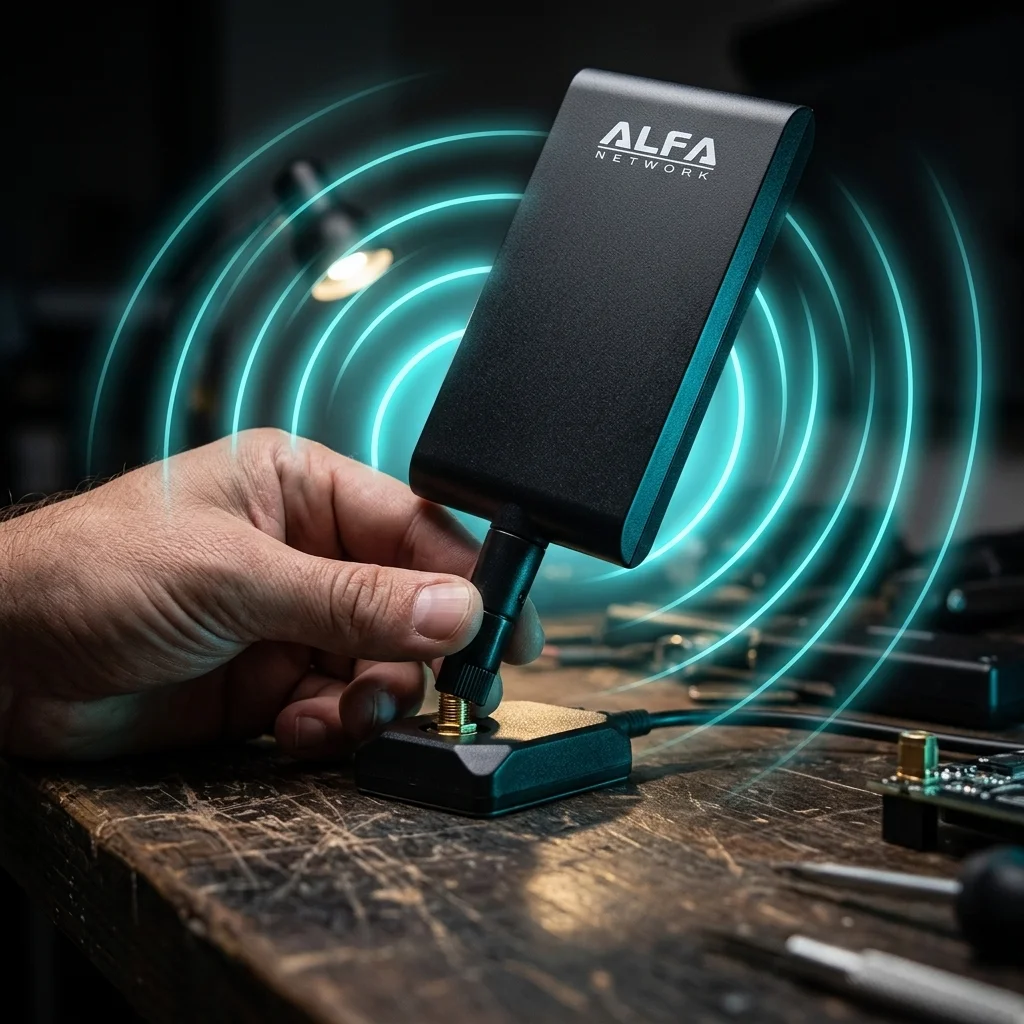
ALFA adapters with RP-SMA connectors allow direct antenna swaps. The APA-M25 directional panel antenna suits indoor auditing, while the ARS NT5B7 omnidirectional antenna fits general-purpose use. No tools or driver configuration needed.
Default stick antennas:
- Radiate and receive in all directions equally (omnidirectional)
- Compact and lightweight, but limited effective range
- Optimized for general purpose rather than specific frequencies or distances
- Typically 5 dBi — functional but not maximized for any single use case
Why an upgrade matters in practice:
In penetration testing, signal quality directly affects what you can see and interact with. A stronger, more focused antenna can mean the difference between:
- Detecting an access point at 80 meters vs. 250 meters
- Capturing a clean WPA2 handshake in a noisy environment vs. missing deauth responses
- Associating with a target AP from a safe observation distance
- Seeing client devices that a weaker antenna misses entirely
For legitimate network auditing, wardriving, and Wi-Fi research, antenna upgrades are one of the most cost-effective improvements you can make to your toolkit.
RP-SMA Connector Explained#
Before selecting an antenna, you need to confirm connector compatibility. ALFA Network adapters with external antennas universally use the RP-SMA (Reverse Polarity SMA) connector standard.
RP-SMA vs standard SMA:
- Standard SMA: pin in the center of the male connector
- RP-SMA: socket (hole) in the center of the male connector — the polarity is reversed
- These two standards are physically incompatible despite looking similar
ALFA adapters with RP-SMA connectors (external antenna capable):
- AWUS036ACH (2× RP-SMA)
- AWUS036ACM (1× RP-SMA)
- AWUS036AXML (1× RP-SMA)
- And other ALFA models with external antenna ports
All five antenna accessories covered in this guide use RP-SMA connectors and are directly compatible with these adapters. Installation requires no tools — simply unscrew the existing antenna and screw on the new one hand-tight.
The 5 ALFA Antenna Accessories#
1. APA-M04 — 2.4 GHz Directional Indoor Panel#
The APA-M04 is a single-band, directional indoor panel antenna designed specifically for 2.4 GHz operation.
Specifications:
- Frequency: 2.4 GHz only
- Gain: 7 dBi
- Type: Directional (panel)
- Environment: Indoor
- Connector: RP-SMA
When to choose the APA-M04:
If your target network or research focus is exclusively on 2.4 GHz — legacy WPA2 networks, older IoT devices, Bluetooth co-existence testing, or specific 802.11b/g/n environments — the APA-M04 focuses all of its gain on that single band. Directional panel antennas concentrate energy in one direction, giving you better range and signal isolation in that direction at the cost of reduced sensitivity behind the panel.
Ideal use cases:
- Through-wall indoor surveying where 2.4 GHz penetration is desired
- Fixed-position monitoring of a specific area
- Reducing interference from competing 2.4 GHz sources behind you
2. APA-M25 — 2.4/5 GHz Dual-Band Directional Indoor Panel#
The APA-M25 extends the panel antenna concept to dual-band coverage, making it the most versatile directional antenna in the ALFA lineup for standard Wi-Fi 5 and Wi-Fi 6 environments.
Specifications:
- Frequency: 2.4 GHz + 5 GHz (dual-band)
- Gain: 7 dBi
- Type: Directional (panel)
- Environment: Indoor
- Connector: RP-SMA
When to choose the APA-M25:
For most penetration testers using the AWUS036ACH or AWUS036ACM, the APA-M25 is the go-to antenna upgrade. It covers both frequency bands your adapter operates on, provides 7 dBi of focused gain, and works in the majority of indoor assessment scenarios.
The directional nature means you point it toward the target area. This is particularly valuable in:
- Office building assessments where you’re auditing from a hallway or adjacent room
- Reducing noise floor in dense wireless environments (many APs around you)
- Handshake capture where you need consistent range to a specific AP
3. APA-M25-6E — 2.4/5/6 GHz Tri-Band Directional Panel (Wi-Fi 6E)#
The APA-M25-6E is the next-generation version of the APA-M25, adding 6 GHz band support to make it fully compatible with Wi-Fi 6E infrastructure.
Specifications:
- Frequency: 2.4 GHz + 5 GHz + 6 GHz (tri-band)
- Gain: 7 dBi
- Type: Directional (panel)
- Environment: Indoor
- Connector: RP-SMA
When to choose the APA-M25-6E:
This antenna is the essential companion to the AWUS036AXML Wi-Fi 6E adapter. Without a 6 GHz-capable antenna, you cannot effectively utilize the 6 GHz band even if your adapter supports it. The APA-M25-6E ensures consistent gain and directionality across all three bands simultaneously.
Choose the APA-M25-6E if:
- You own or plan to acquire the AWUS036AXML
- Your engagements target Wi-Fi 6E networks operating on 6 GHz
- You want one antenna that covers all current Wi-Fi frequency bands
- You anticipate testing 6 GHz-only networks in enterprise or modern residential environments
It is slightly more expensive than the APA-M25 but represents the forward-looking choice as 6 GHz adoption continues to accelerate through 2026.
4. ARS 25-57A — 2.4/5 GHz Dual-Band Outdoor Omnidirectional#
The ARS 25-57A brings outdoor weatherproof construction and omnidirectional coverage, designed for deployments where the antenna must survive environmental exposure.
Specifications:
- Frequency: 2.4 GHz + 5 GHz (dual-band)
- Gain: 2.5 dBi (2.4 GHz) / 7 dBi (5 GHz)
- Type: Omnidirectional
- Environment: Outdoor (weatherproof)
- Connector: RP-SMA
When to choose the ARS 25-57A:
The omnidirectional pattern means it receives and transmits equally in all horizontal directions — ideal when you need 360-degree coverage rather than a focused beam. The weatherproof build opens up:
- Wardriving setups — mount on a vehicle roof or exterior with confidence
- Outdoor site surveys — extended duration outdoor deployments
- Perimeter assessments — walking around a building’s exterior
- Parking lot auditing — stationary outdoor assessment with natural 360° coverage
The gain difference between bands (2.5 dBi on 2.4 GHz vs 7 dBi on 5 GHz) reflects physics — achieving high gain on 2.4 GHz omnidirectionally requires a longer physical antenna than most outdoor sticks provide, while 5 GHz benefits more from the same antenna length.
5. ARS NT5B7 — 2.4/5 GHz Dual-Band Omnidirectional Indoor/Outdoor#
The ARS NT5B7 is a versatile omnidirectional antenna that bridges indoor and outdoor use with a more balanced gain profile than the ARS 25-57A.
Specifications:
- Frequency: 2.4 GHz + 5 GHz (dual-band)
- Gain: 5 dBi (2.4 GHz) / 7 dBi (5 GHz)
- Type: Omnidirectional
- Environment: Indoor / Outdoor
- Connector: RP-SMA
When to choose the ARS NT5B7:
The NT5B7 hits a practical sweet spot. The 5 dBi gain on 2.4 GHz is a meaningful step up over the ARS 25-57A’s 2.5 dBi, while maintaining 7 dBi on 5 GHz. This makes it a stronger all-rounder for users who need:
- General-purpose replacement for the stock antenna with noticeably better performance
- Flexible indoor/outdoor deployment without weatherproofing concerns dominating the use case
- Balanced 2.4/5 GHz performance when both bands are equally important
For users who want a simple “better than stock” upgrade without the complexity of choosing directional vs omni, the ARS NT5B7 is the most accessible recommendation.
Comparison Table#
| Model | Frequency | Gain | Type | Environment | Best Use Case |
|---|---|---|---|---|---|
| APA-M04 | 2.4 GHz | 7 dBi | Directional panel | Indoor | 2.4 GHz-only focused audits |
| APA-M25 | 2.4 + 5 GHz | 7 dBi | Directional panel | Indoor | General indoor pentesting (ACH/ACM) |
| APA-M25-6E | 2.4 + 5 + 6 GHz | 7 dBi | Directional panel | Indoor | Wi-Fi 6E engagements (AWUS036AXML) |
| ARS 25-57A | 2.4 + 5 GHz | 2.5/7 dBi | Omnidirectional | Outdoor | Wardriving, perimeter audits |
| ARS NT5B7 | 2.4 + 5 GHz | 5/7 dBi | Omnidirectional | Indoor/Outdoor | Versatile all-purpose upgrade |
How to Choose: Decision Framework#
Directional vs Omnidirectional#
Choose directional (panel) when:
- You know where your target is and can point the antenna at it
- You want to reduce interference from other directions
- You are doing fixed-position assessments in offices or buildings
- Maximum range to a specific target is the priority
Choose omnidirectional when:
- You are moving (wardriving, walking surveys)
- You need 360° awareness of all APs and clients around you
- The target location changes or is unknown
- You want a general-purpose upgrade that works in all scenarios
Indoor vs Outdoor#
Choose indoor (APA series) when:
- Working inside buildings — office floors, data centers, retail spaces
- No exposure to rain, UV, or extreme temperature variation
- A flat panel form factor is acceptable
Choose outdoor (ARS series) when:
- Deploying in parking lots, building exteriors, or vehicles
- Extended duration deployments in variable weather
- Mounting on a mast, vehicle roof, or exterior structure
Single Band vs Dual Band vs Tri-Band#
- Single band (APA-M04): Only if your engagement specifically targets 2.4 GHz
- Dual band (APA-M25, ARS 25-57A, ARS NT5B7): Right choice for Wi-Fi 5 adapters (ACH, ACM) and most current environments
- Tri-band (APA-M25-6E): Required for Wi-Fi 6E work; future-proof for any 6 GHz environment
Installation: It Really Is This Simple#
ALFA antenna upgrades require no tools and no software changes:
- Locate the RP-SMA connector on your adapter (gold threaded connector with a center hole)
- Unscrew the existing antenna counterclockwise until it detaches
- Align the new antenna’s RP-SMA connector with the adapter’s port
- Screw clockwise until hand-tight — do not overtighten
- Position the antenna for your use case (vertical for omni, aimed for directional)
The entire process takes under 30 seconds. No driver changes, no configuration, no rebooting required. The adapter continues operating normally with its new antenna immediately.
Important: Always handle RP-SMA connectors gently. The center pin is delicate — don’t force cross-threaded connections.
Real-World Performance: What to Expect#
Antenna gain improvements translate directly to measurable signal quality. Here’s what to expect in typical scenarios:
Default 5 dBi omnidirectional vs APA-M25 7 dBi directional panel:
- Indoor range to a target AP: improvement from ~30 m to ~60–80 m in line-of-sight (based on indoor LOS testing with AWUS036ACH at 2.4 GHz, 20 MHz channel width)
- Signal strength at 20 m: typically +4 to +8 dBm improvement
- Handshake capture reliability: significantly improved in borderline range scenarios
- Noise floor: lower in the panel’s focused direction (less interference from behind)
Default 5 dBi stick vs ARS NT5B7 5/7 dBi omnidirectional:
- Measurable improvement on 5 GHz (7 dBi vs typical 3–4 dBi on stock 5 GHz performance)
- Outdoor range: improvement from ~50 m to ~80–100 m for AP detection
- Client detection: improved ability to see associated clients at range
Important caveat: Actual performance improvements depend on environment (walls, interference, AP transmit power), adapter TX power, and the specific scenario. These figures represent typical improvements in open or lightly obstructed environments.
Quick Reference: Adapter + Antenna Pairing#
| Adapter | Recommended Antenna | Reason |
|---|---|---|
| AWUS036ACH (2× RP-SMA) | 2× APA-M25 or 1× APA-M25 + 1× ARS NT5B7 | Maximize dual-antenna diversity |
| AWUS036ACM (1× RP-SMA) | APA-M25 or ARS NT5B7 | General upgrade |
| AWUS036AXML (1× RP-SMA) | APA-M25-6E | Required for 6 GHz coverage |
| Any adapter, outdoor | ARS 25-57A or ARS NT5B7 | Weatherproof or flexible outdoor |
| 2.4 GHz-focused work | APA-M04 | Optimized single-band gain |
Upgrading your ALFA adapter’s antenna is one of the simplest and most impactful modifications you can make to your wireless toolkit. Choose based on your frequency requirements, directionality needs, and deployment environment — and your signal quality will show an immediate, measurable improvement.
常見問題
Can I replace the antenna on my ALFA adapter?
Yes. ALFA adapters with RP-SMA connectors like AWUS036ACH, AWUS036ACM, and AWUS036AXML all support antenna replacement. No tools needed, just unscrew counterclockwise and screw in clockwise.
What is an RP-SMA connector?
RP-SMA is a reverse-polarity SMA connector. The male center has a socket instead of a pin, opposite to standard SMA polarity. They look similar but are physically incompatible. All ALFA accessory antennas use this standard.
Should I choose a directional or omnidirectional antenna?
Directional antennas suit fixed-location audits with a known target direction. Omnidirectional antennas suit mobile sweeps or scenarios where target locations are unknown. Choose based on your environment.
What is the difference between APA-M25 and ARS NT5B7?
The APA-M25 is a 7 dBi directional panel antenna suited for focused indoor testing. The ARS NT5B7 is a 5/7 dBi omnidirectional antenna for general indoor and outdoor use. The former has strong directionality, the latter wider coverage.
Do antenna upgrades need driver installation or configuration?
No. Antenna upgrades are purely hardware changes. No driver updates, configuration, or reboots needed. The adapter starts using the new antenna immediately after installation.
For DJI Drone Operators#
ALFA antennas with RP-SMA connectors can upgrade the signal range and stability of DJI controller systems that use compatible antenna connectors. Here’s how each model fits drone use cases:
| Antenna | Frequency | Use Case for DJI |
|---|---|---|
| ARS-NT5B7 | 2.4 / 5 / 6 GHz | General-purpose range extension for RC-N1 and RC Pro controllers |
| APA-M25 | 2.4 / 5 GHz | Directional tracking — point toward flight zone for maximum signal gain |
| ARS-25-57A | 2.4 / 5 GHz | Weatherproof paddle antenna for outdoor sessions in rain or humidity |
| APA-M04 | 2.4 GHz | Budget upgrade for older 2.4 GHz-only DJI controllers |
Connector Note: Verify your DJI controller’s antenna connector type before purchasing. DJI RC Pro uses standard SMA; many third-party aftermarket controllers use RP-SMA. An adapter cable is available separately if needed.
For a full DJI controller antenna upgrade walkthrough, see DJI Drone Controller Antenna Upgrade Guide.